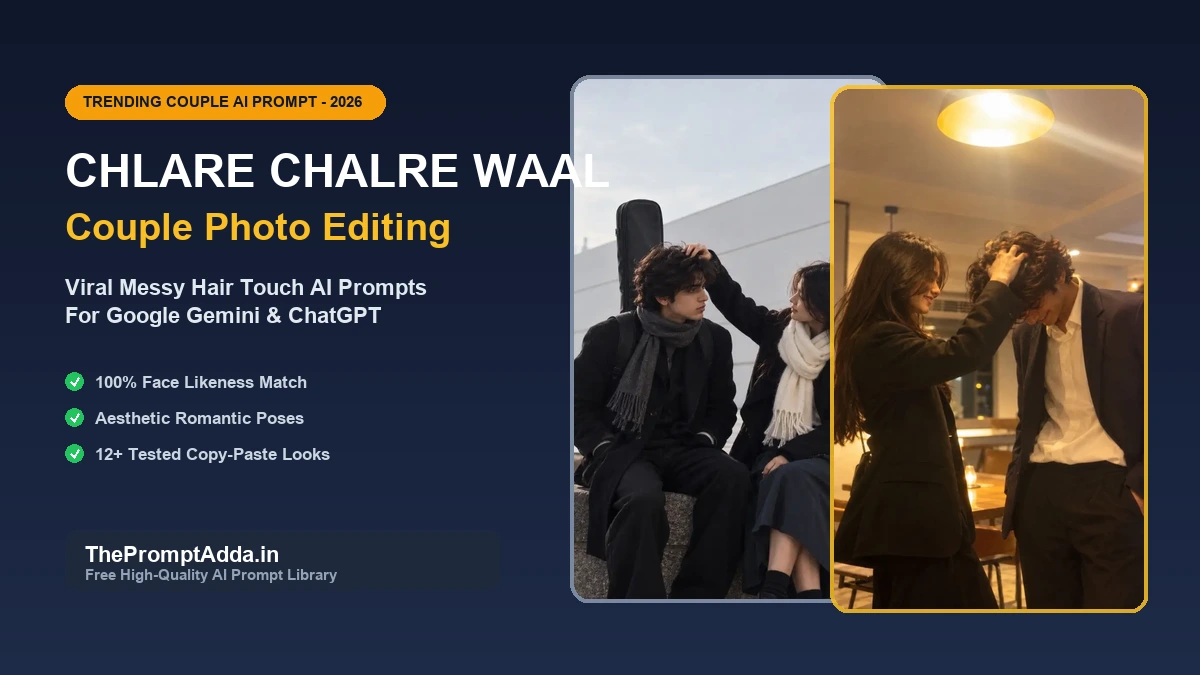
Social media feeds across Instagram and Pinterest are currently obsessed with a viral romantic portrait aesthetic known as the "Chlare Chalre Waal" (or messy hair touch) couple trend. In this viral style, instead of stiff, posed studio photos, the couple shares a tender, spontaneous moment: the boy bows his head in bashful amusement while the girl lovingly runs her hand through his tousled, wavy hair or leans intimately against his shoulder.
The most incredible part about this trend is that you do not need an expensive DSLR camera, studio lighting, or an elaborate wardrobe to participate. By using free multimodal AI tools like Google Gemini or ChatGPT, anyone can create breathtaking, high-definition couple portraits with 100% facial likeness using just two clear selfies from their phone.
In this complete 2026 guide, we give you the exact 4 viral prompts (each paired with its unique sample image), followed by an exhaustive, beginner-friendly walkthrough on how to upload your reference photos, preserve facial fidelity, eliminate AI glitches, and export videos for Instagram Reels.
What is the Viral "Chlare Chalre Waal" Trend? (Origin & Meaning)
The phrase "Chlare Chalre Waal" (colloquially also sung as "Chalray Chalray Waal") originates from the legendary Saraiki and Punjabi romantic folk ballad composed by poet Suleem Bismil and immortalized by folk singer Shafaullah Khan Rokhri. In the poetry, the song celebrates the beauty of natural, unstyled hair gently falling over the face ("Chahre te bikhre waal"), paired with traditional romantic imagery like a black shawl ("Kaali Shaal").
On Instagram Reels and TikTok, creators paired modern lofi covers of this song with cinematic AI-edited photos featuring:
- The Playful Hair Touch: The female partner gently burying her fingers into the male partner's wavy curls or smoothing back stray forehead bangs.
- The Subdued Head Tilt: The male partner slightly looking downward with a soft, bashful smile, breaking traditional rigid modeling postures.
- Oversized Monochrome Styling: Tailored black blazers, heavy wool overcoats, cream knit scarves, and relaxed linen shirts that evoke timeless Korean drama aesthetics.
- Atmospheric Warm Lighting: Dim cafe pendants, rainy window droplets, or moody streetlights that focus pure attention on the couple's intimacy.
Before You Begin: 3 Rules for Choosing Perfect Reference Photos
To achieve a realistic outcome that genuinely looks like you and your partner, the quality of your uploaded reference photos is crucial. Follow these three cardinal rules before pasting the prompts:
- Use Clear, Front-Facing Portraits: Choose photos where both faces are evenly lit with natural window light or daylight. Avoid photos taken with heavy beauty filters, sunglasses, wide-angle lens distortion, or harsh shadows.
- Separate Solo Photos are Best: While you can upload an existing couple photo, uploading one clear solo portrait of the boy and one clear solo portrait of the girl allows Google Gemini and ChatGPT to isolate facial geometries with significantly higher fidelity.
- Natural Hair & Expressions: Choose reference pictures where your hair texture and natural face shapes are clearly visible so the AI can blend them authentically into the generated pose.
Complete Step-by-Step Tutorial for Google Gemini (Free & 100% Face Match)
Google Gemini is currently the top recommended platform for this trend because it provides free access to multimodal vision processing and excels at preserving real facial identity. Follow these exact steps:
Step 1: Open Google Gemini
Visit gemini.google.com in your browser or launch the official Gemini app on your Android or iOS smartphone.
Step 2: Upload Both Reference Photos
In the prompt input bar, tap the "+" (Attach Image) button. Select both your photo (e.g., boy) and your partner's photo (e.g., girl) and upload them together into the same chat message.
Step 3: Copy & Paste the Prompt Formula
Copy any of the 4 prompts below. Before sending, prepend this critical identification command at the very start of your message:
Step 4: Generate & Inspect
Press Enter and wait approximately 15 to 25 seconds. Gemini will output a high-resolution 9:16 portrait. Inspect the face likeness and hand anatomy.
Step 5: How to Refine (If Needed)
If the result has minor imperfections (such as an extra finger or a slightly generalized nose), do not restart. Simply reply with an iterative adjustment prompt:
Complete Step-by-Step Tutorial for ChatGPT Plus (DALL-E 3)
If you have a ChatGPT Plus subscription with GPT-4o vision capabilities:
- Open chatgpt.com and ensure you are on the GPT-4o model.
- Click the paperclip attachment icon and upload both reference selfies.
- Paste the prompt along with the directive: "Generate a realistic photorealistic image adhering to these reference faces. Use a vertical 9:16 aspect ratio."
- Download the resulting image in high resolution by clicking the download icon in the top right of the generated image preview.
4 Viral Chlare Chalre Waal Couple Prompts (Copy & Paste)
Here are the 4 viral looks. Each look has a distinct camera aesthetic, outfit combination, and background mood. Tap "Copy Prompt" to copy the full prompt or launch directly into Gemini or ChatGPT.
1. Cozy Modern Lounge Night: Gentle Messy Hair Touch (The Signature Viral Pose)
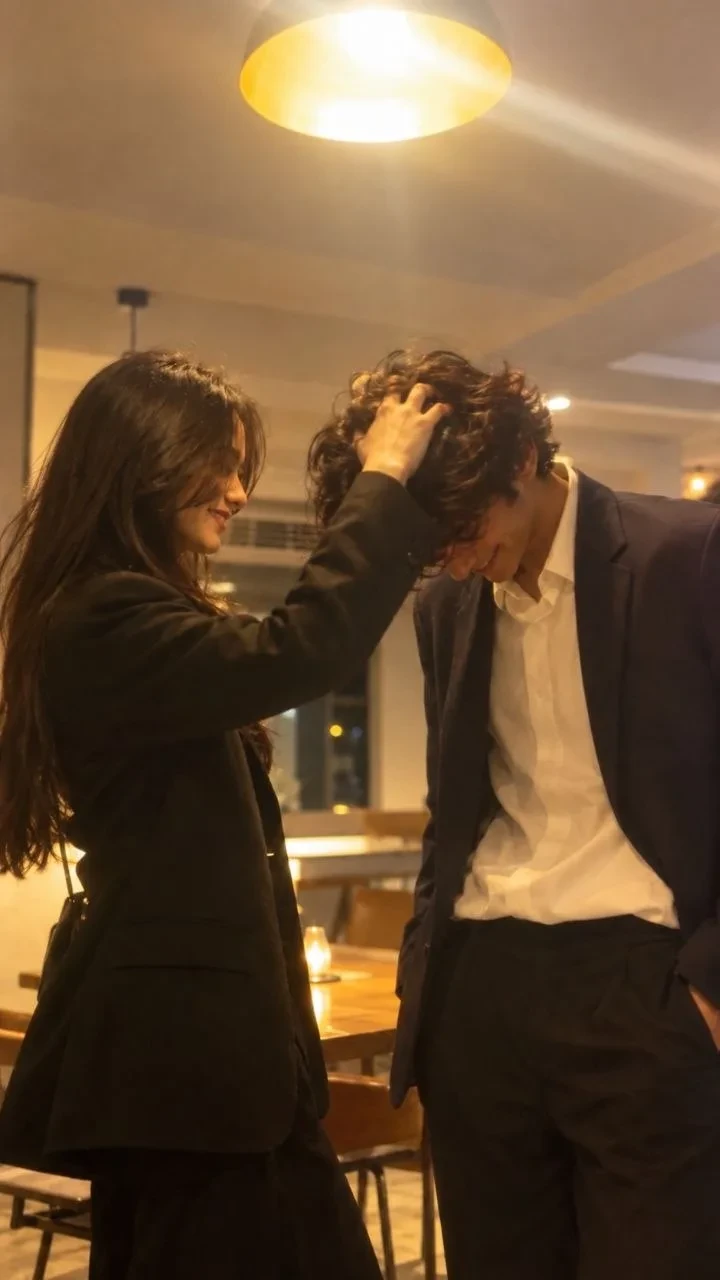
Why this signature look works: The ambient 2700K pendant ceiling lighting bathes the couple in natural golden warmth, while the unbuttoned white shirt and oversized dark blazers channel effortless Korean drama aesthetics. The gentle hand running through tousled wavy hair breaks stiff portrait rigidity and creates genuine emotional warmth. For more intimate couple compositions, explore our popular Couple Aesthetic Prompts for ChatGPT.
2. Minimalist Winter Stone Ledge: Wool Coats & Guitar Acoustic Vibe (The Overcast Look)
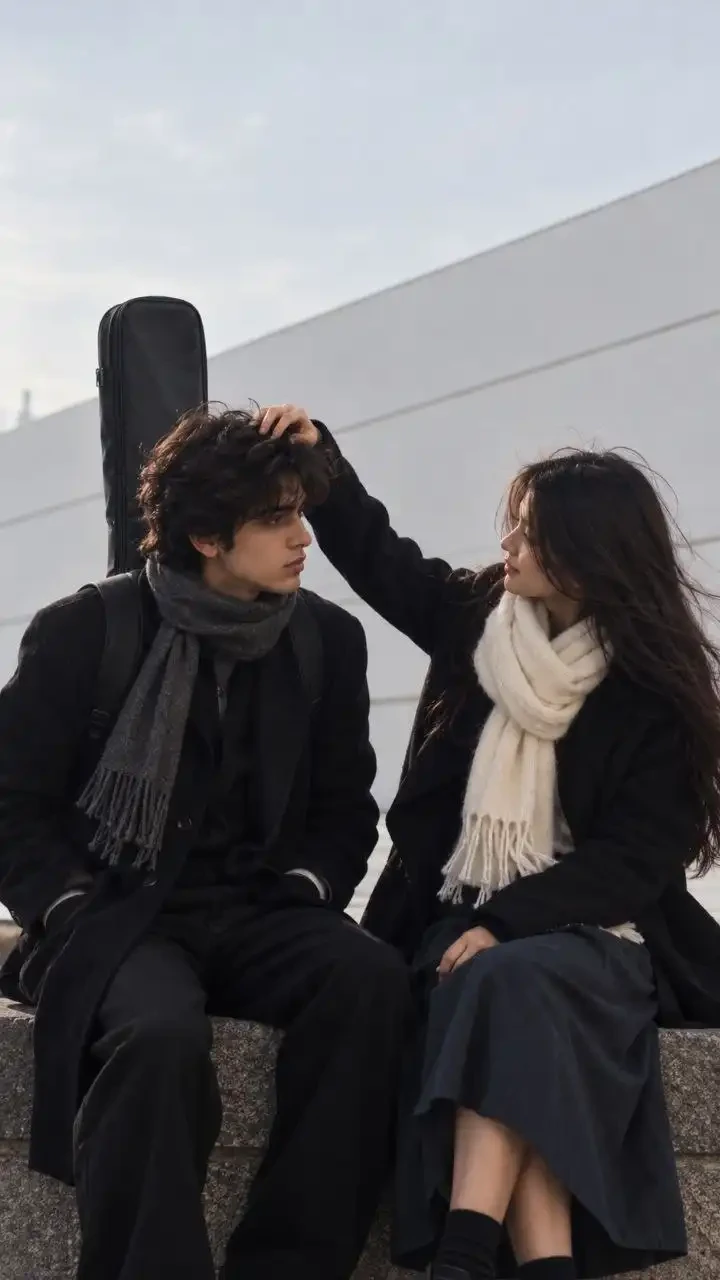
Why this winter aesthetic works: High-overcast daylight provides flattering, diffused illumination with zero harsh shadows. The monochrome black wool coats accented by the cream scarf create timeless high-fashion contrast, while the acoustic guitar bag introduces a poetic musician backstory. Check out our Alfaaz AI Photo Editing Prompts to pair this mood with romantic Hindi and Urdu caption ideas.
3. White Linen Candid: Girl Behind Boy Shoulder Lean (Sunlit Indoor Aesthetic)

Why the shoulder-lean pose is trending: Positioning the female partner behind the male partner creates protective, tender framing. The textured white linen shirt contrasts beautifully with dark tousled hair, producing a bright, clean Pinterest-style aesthetic. If you want more creative concepts for siblings or couples, see our Brother and Sister Prompt for Gemini AI.
4. Moody Midnight Contrast: Black Shirt & Curly Hair Gaze (Expressive Eyes Look)
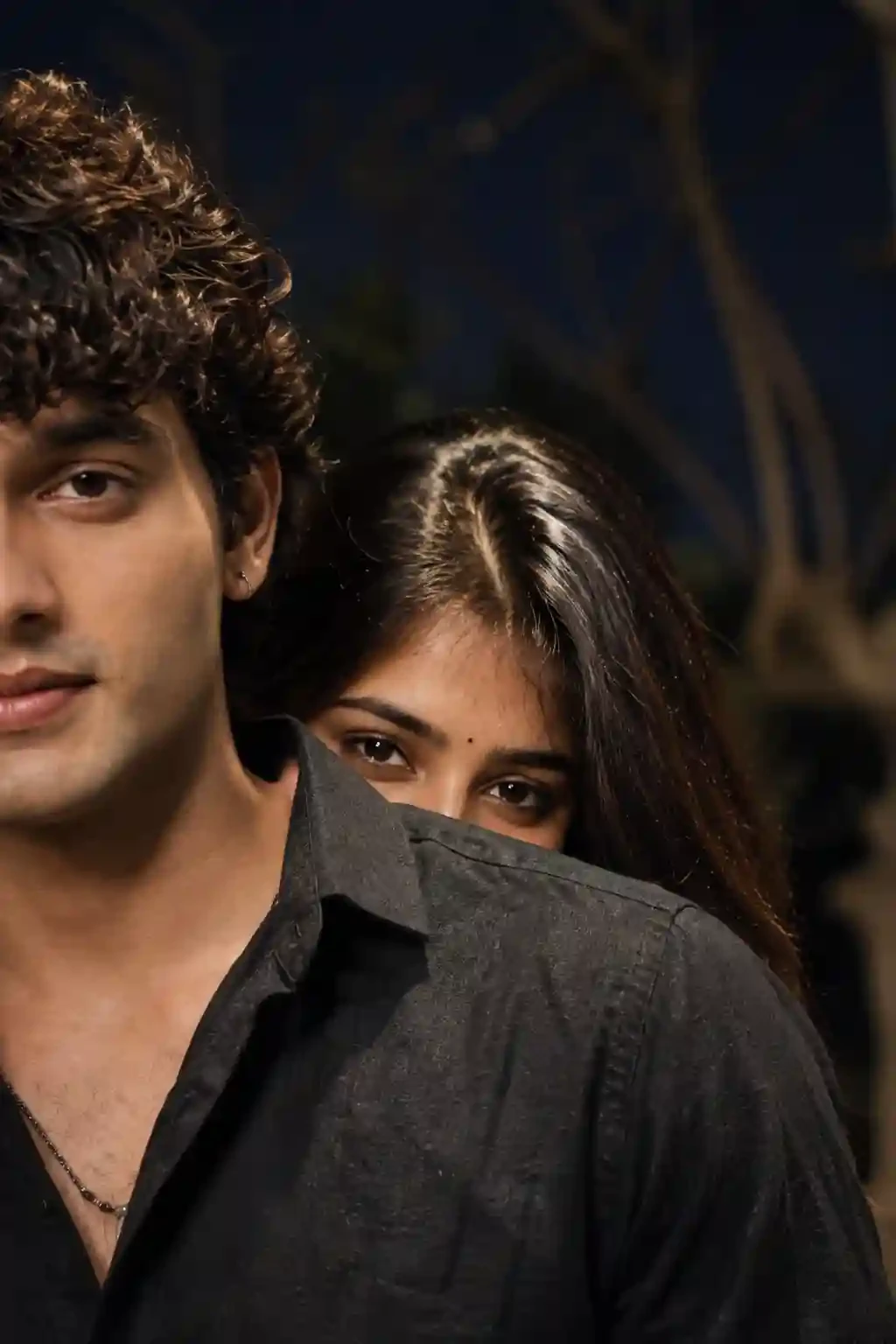
Mastering low-light eye intimacy: Directing key lighting toward the couple's eyes while letting the background melt into deep nocturnal shadows creates captivating visual tension. The subtle bindi and textured curls add authentic desi elegance. For more expressive close-ups, explore our Couple Eyes AI Photo Editing Prompts.
Camera Settings & Lighting Parameters Comparison Table
Understanding the photography physics behind these prompts helps you tweak them for any custom scenario:
| Style Look | Lens Choice | Aperture | Lighting Physics | Vibe & Wardrobe |
|---|---|---|---|---|
| 1. Cozy Lounge Night | 50mm prime | f/1.8 shallow DoF | Warm 2700K pendant ceiling illumination | Oversized black blazers & unbuttoned white shirt |
| 2. Winter Stone Ledge | 85mm telephoto | f/1.4 separation | Diffused high overcast 6000K winter sky | Heavy black wool overcoats & cream knitted scarf |
| 3. White Linen Lean | 85mm portrait | f/1.4 soft falloff | Warm diffused window daylight | Relaxed white linen button-down & dark natural hair |
| 4. Moody Midnight Gaze | 50mm f/1.2 | f/1.2 creamy bokeh | Directional sodium streetlamp key light | Open-collar black shirt, curls & delicate bindi |
Troubleshooting Common AI Couple Glitches (Hands, Hair & Skin)
Hand-to-hair interactions are notoriously complex for AI image diffusion models. Here is how to easily fix the top 3 issues:
Issue 1: Deformed Fingers or Hand Glitches in Hair
If fingers look merged with hair strands or extra digits appear, add this negative prompt modifier at the end of your prompt:
Issue 2: Artificial Plastic Skin or Wax Figure Look
AI image generators often over-smooth skin by default. To enforce realistic biological detail, mandate:
Issue 3: Face Looks Like a Generic Stock Model
If the AI ignores your uploaded photo and generates a random model face, make sure you uploaded high-resolution solo headshots without hats or sunglasses, and re-emphasize: "Maintain exact facial geometry, eye shape, nose structure, and jawline matching the reference image."
How to Make Viral Instagram Reels with CapCut & Trending Audio
Once you have generated your favorite couple photo, turn it into a viral Instagram Reel or TikTok clip in 3 minutes:
- Download the AI Image in High Quality: Save the 9:16 portrait to your camera roll.
- Open CapCut or VN Video Editor: Import a short 2-second video clip of yourself and your partner (or a black screen with blur), followed by the AI generated photo.
- Apply a Smooth Zoom or Flash Transition: Add a gentle "Slow Zoom In" or "Flash / Blur" effect between the clip and the final AI reveal.
- Pair with the Viral Audio: Search for the trending audio track "Chlare Chalre Waal" on Instagram Reels and sync the photo reveal with the beat drop.
Explore Related Trending AI Prompts
Explore our other viral prompt collections to expand your creative portfolio:
- Couple Eyes AI Photo Editing Prompts (12 Viral Looks): Expressive close-up eye photography prompts.
- Brother and Sister Prompt for Gemini AI (2026): Emotional sibling festival, college, and road trip prompts.
- Couple Aesthetic Prompts for ChatGPT: Modern lifestyle romance with Korean drama aesthetics.
- Alfaaz AI Photo Editing Prompts: Poetic Urdu and Hindi text integration for aesthetic reels.
- Couple Wedding Prompts for ChatGPT: Royal Indian heritage and wedding lookbook prompts.