Creating an aesthetic girl photo collage used to require hours of manual work in editing apps like Canva, Picsart, or Lightroom. You had to shoot multiple angles, match the color grading across every frame, create customized borders, and manually stitch pictures together. But in 2026, generative AI models like Google Gemini and Bing Image Creator have completely redefined this workflow.
With a single well-crafted AI prompt, you can now generate high-fashion magazine collages, Korean-style photo booth strips, retro 35mm film borders, and aesthetic multi-angle portraits in seconds. Similar to the viral popularity of our 3 Layer Photo Editing ChatGPT Prompts and 1980s Look AI Prompts, multi-frame collage compositions deliver significantly higher engagement, saves, and profile visits on Instagram and Pinterest.
Why Multi-Photo Collage AI Prompts Are Dominating Instagram in 2026
Single portraits can look great, but they often fail to capture personality. When visitors browse Instagram, a multi-frame film strip or editorial collage immediately feels like a professional magazine spread or a behind-the-scenes candid photo shoot.
Here is why digital creators and influencers love this format:
- Dynamic Storytelling: One frame shows your complete outfit and posture, while the side film strip captures micro-expressions - laughing, adjusting hair, or looking candidly away.
- Cohesive Color Palette: Instead of fighting mismatched lighting between different shots, the AI creates uniform color harmony across every panel. If you love emotional and nostalgic edits, also explore our viral Instagram User Block AI Photo Prompt.
- High Save & Share Rate: Audiences frequently bookmark collage aesthetic posts as mood board inspiration for their own upcoming photoshoots.
Quick Overview: 8 Aesthetic Collage Styles
| # | Collage Theme | Outfit & Styling | Frame Structure |
|---|---|---|---|
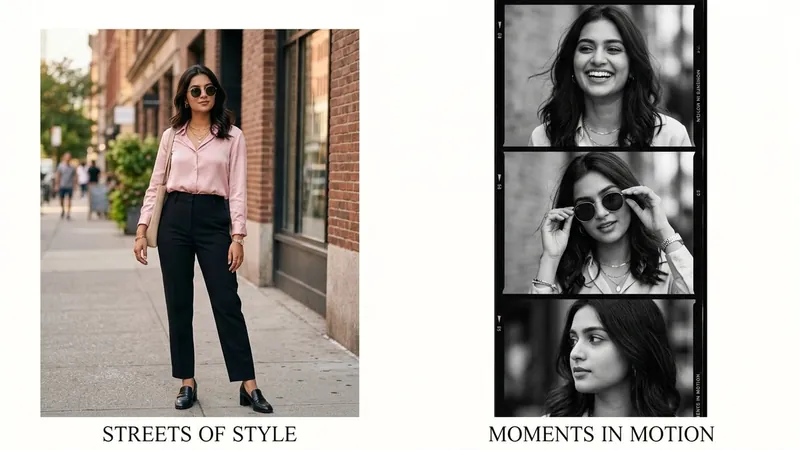
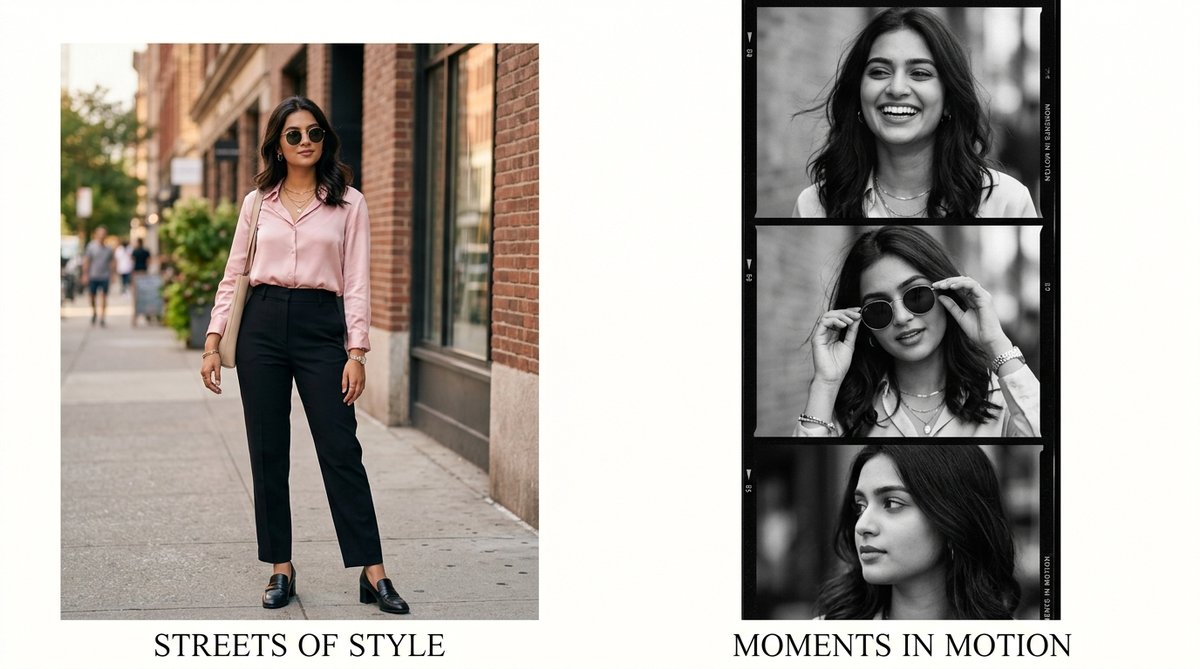
| 1 | Chic Streetwear | Pink Silk Shirt & Black Trousers | Full Outfit + 3-Frame B&W Strip |
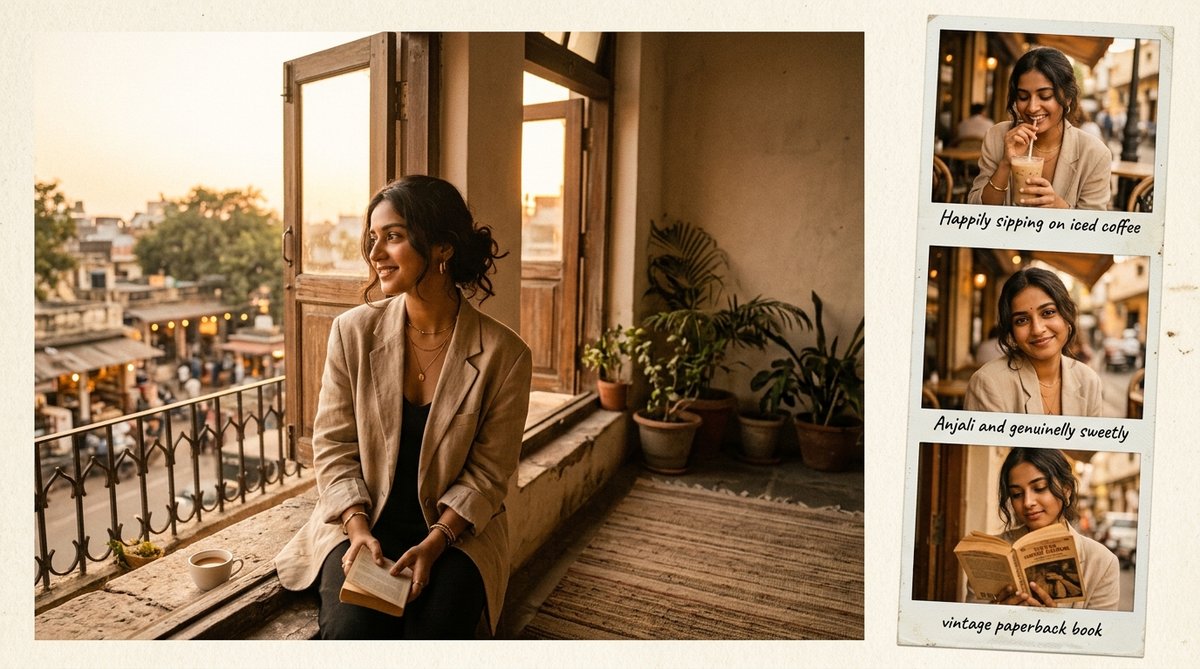
| 2 | Sepia Vintage | Oversized Beige Blazer | Balcony Portrait + 3 Polaroid Frames |
| 3 | Floral Photo Booth | Lavender Sundress with Flowers | Garden Portrait + 4 Cute Selfie Grid |
| 4 | Monochrome Y2K | White Shirt & Cat-Eye Sunglasses | Vogue Portrait + 35mm Sprocket Strip |
| 5 | Traditional Royal | Ivory & Gold Silk Saree | Palace Archway + Jhumka & Mehendi Frames |
| 6 | Cyberpunk Neon | Black Leather Biker Jacket | Rainy Street + 3 Neon Glow Frames |
| 7 | Cozy Book Café | Cream Knit Sweater & Glasses | Window Table + Kodak 400 Film Strip |
| 8 | Clean-Girl Luxury | Dewy Skin & Gold Hoop Earrings | 4-Panel Editorial Textured Grid |
Top 8 Aesthetic Girl Photo Collage AI Prompts (Copy & Paste)
1. Chic Streetwear Pink & Black Film Strip Collage (Instagram Feed Look)
A modern high-fashion editorial collage featuring a full-length streetwear outfit on the left and a 3-frame candid black-and-white film strip on the right.
2. Golden Hour Sepia Balcony & Polaroid Film Strip Collage
A warm amber, nostalgic mood board capturing golden hour sunlight on an ornate heritage balcony paired with three vintage Polaroid frames.
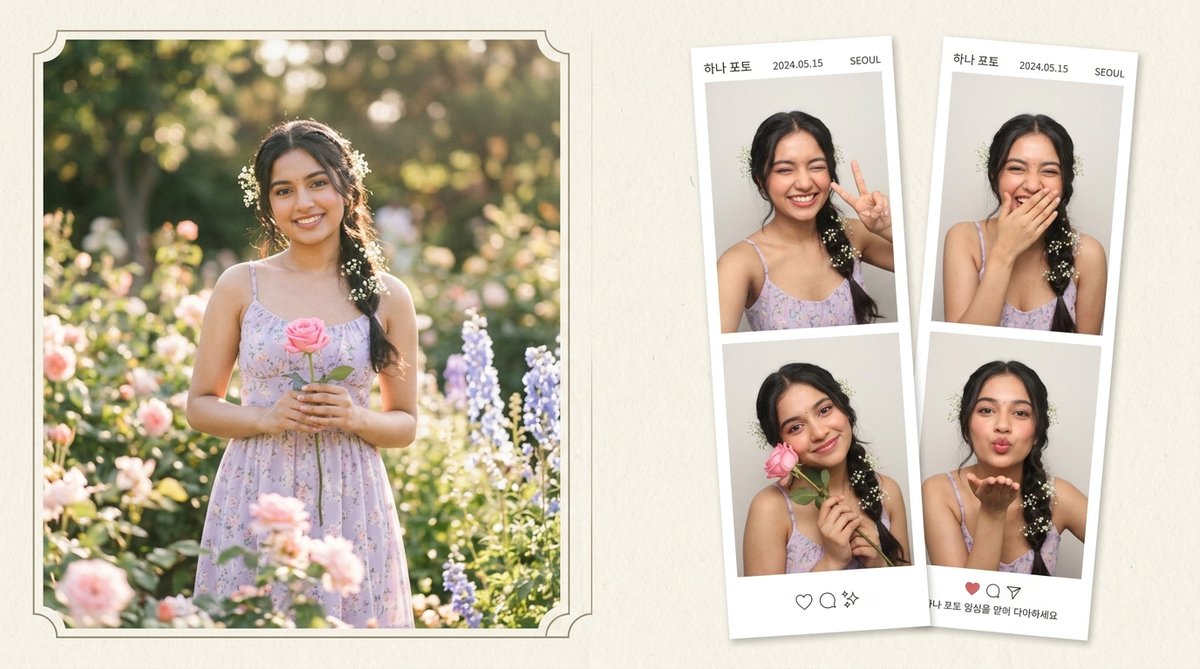
3. Romantic Pastel & Floral Garden Photo Booth Grid
A cute Korean-style photo booth strip featuring baby breath flowers in hair, lavender sundress, and four adorable candid facial expressions.
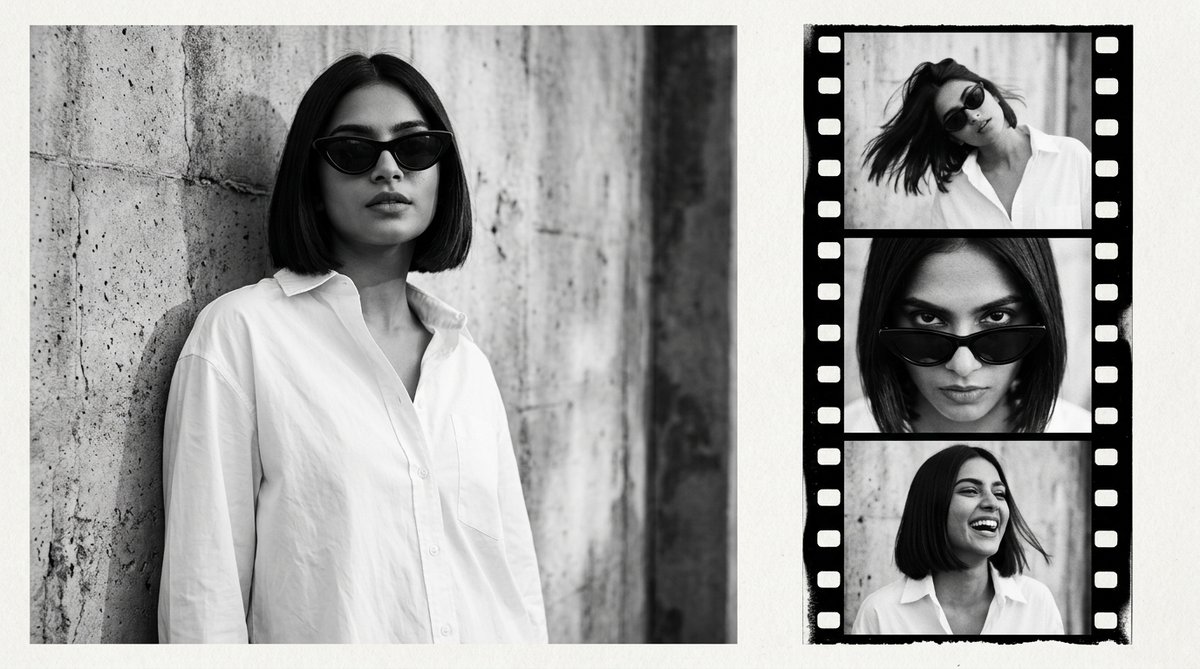
4. Monochrome Y2K Retro 35mm Film Negative Strip
High-fashion black-and-white editorial magazine spread featuring a crisp oversized white shirt, retro cat-eye sunglasses, and 35mm sprocket film borders.
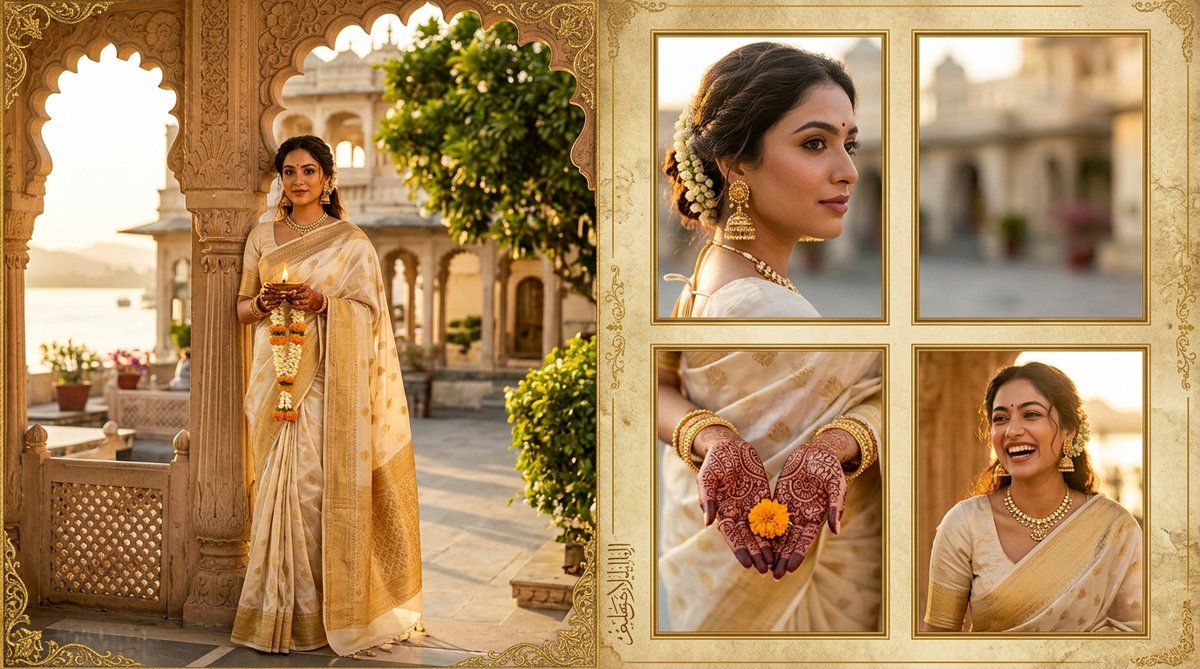
5. Traditional Ivory & Gold Silk Saree Multi-Frame Palace Collage
A regal Indian heritage aesthetic collage featuring tissue silk saree, temple jhumkas, henna-adorned hands, and palace architecture.
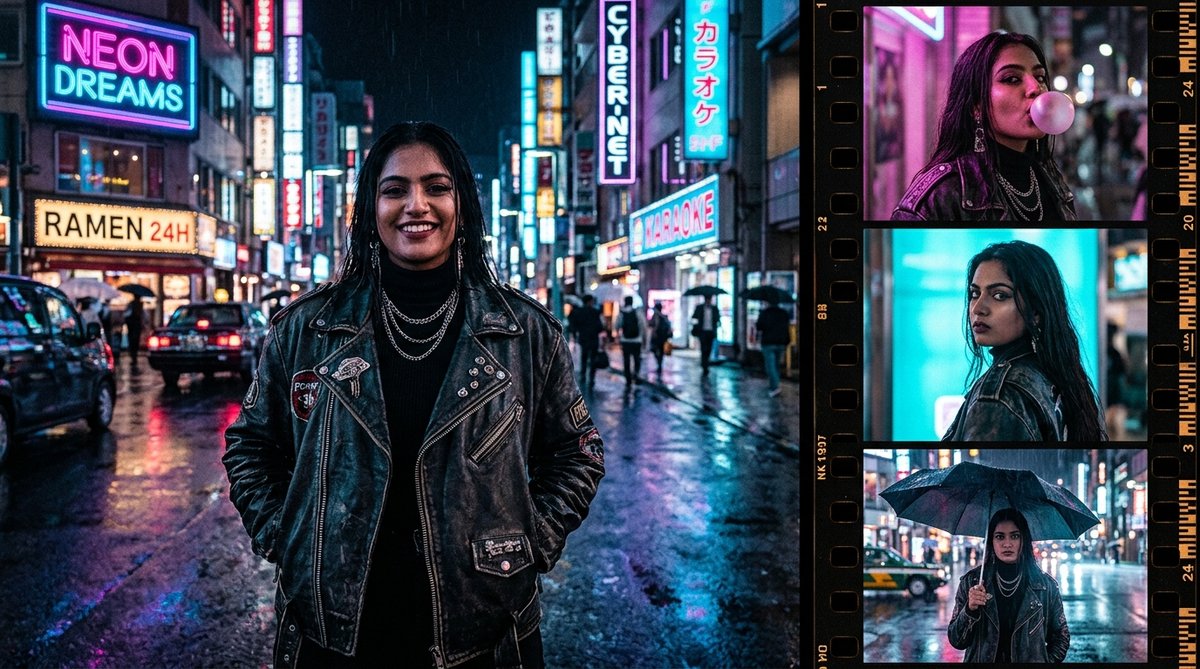
6. Midnight Cyberpunk Neon Rain Leather Jacket Collage
A moody nighttime cyberpunk aesthetic collage with wet asphalt reflections, vibrant neon glow, and an edgy black leather biker jacket.
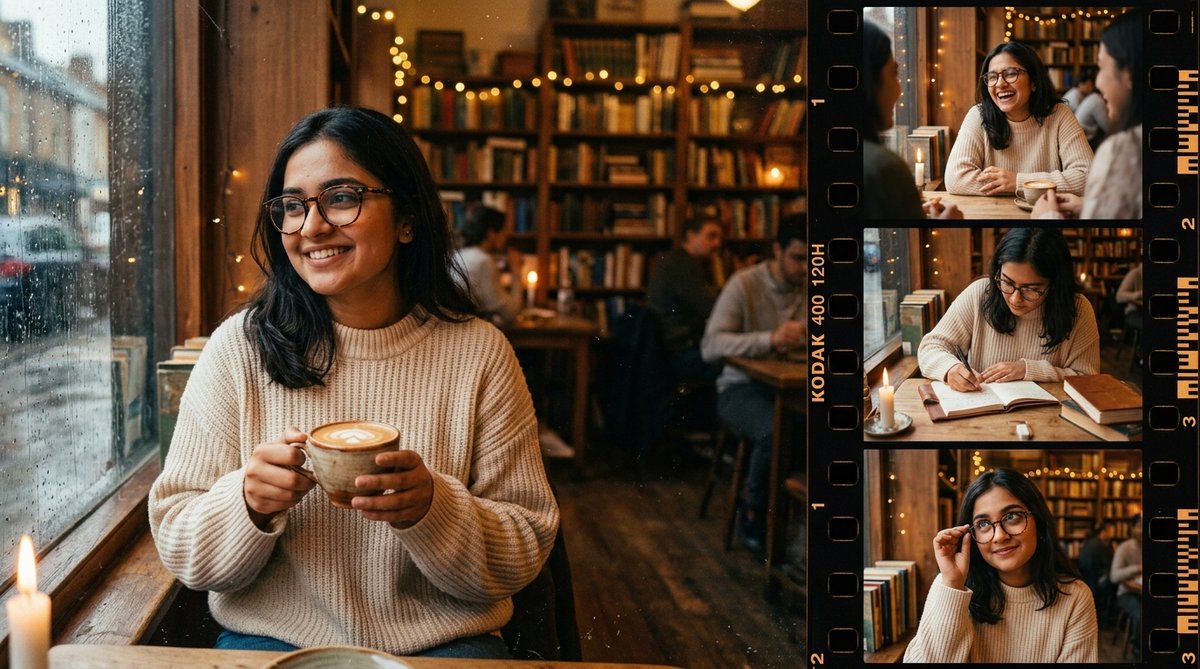
7. Cozy Book Café & Kodak Film Strip Collage
Warm coffee shop vibes featuring an oversized cream knit sweater, hot cappuccino with latte art, and candid laughing moments in a wooden library café.
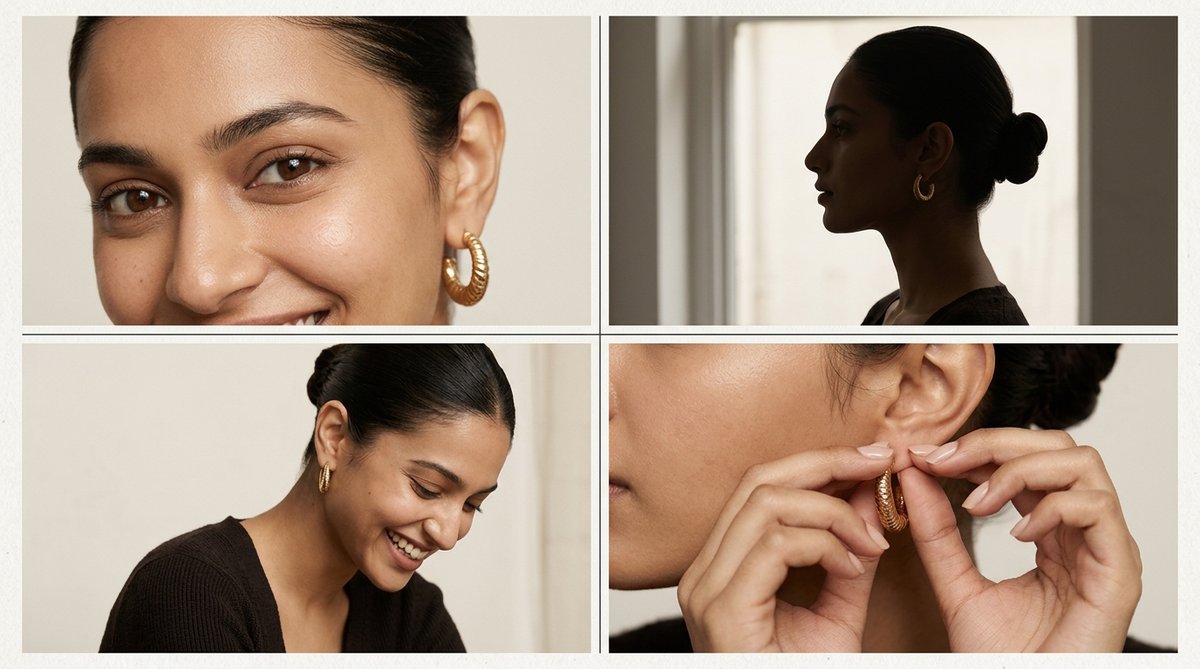
8. Minimalist Clean-Girl Dewy Skin 4-Panel Magazine Grid
Ultra-clean neutral luxury aesthetic with dewy skin, gold chunky hoop earrings, a sleek hair bun, and a 4-panel editorial layout on textured paper.
Step-by-Step Guide: How to Generate Collages in Gemini & Bing
Generating aesthetic multi-frame collages in AI requires specific descriptive vocabulary so the generator understands you want a multi-panel layout rather than a single character. Follow this proven workflow:
- Open Google Gemini or Bing Image Creator: Navigate to Google Gemini or Bing Image Creator.
- Copy a Structured Prompt: Pick any style above. Notice how every prompt explicitly specifies: "On the left side... On the right side a vertical film strip...". This precise positioning language ensures the AI creates distinct panels.
- Customize Details: Change clothing colors, background cities, or hairstyle (e.g., swapping a sleek bun for long beach waves) to match your personal preference. For traditional Indian festive portrait ideas, check out our guide on Navratri Prompts for Gemini Girl.
- Hit Generate: Within seconds, your collage will be rendered in high resolution.
- Download High-Res: Save the lossless JPEG or PNG directly to your smartphone or laptop.
Aspect Ratios & Layout Formulas for Feed, Story & DPs
Depending on where you plan to post your collage, you can tweak the aspect ratio instructions in your prompt:
- Instagram Feed & Carousel (4:5 / 16:9): For regular feed posts, 4:5 vertical or 16:9 widescreen editorial layouts work best. Use the keyword "horizontal magazine editorial collage, 16:9 aspect ratio".
- Instagram Story & Reels Cover (9:16): For full-screen vertical stories, specify: "Vertical 9:16 aesthetic phone wallpaper collage, single full portrait at top, three photo booth squares at bottom".
- Square DPs (1:1): For WhatsApp or profile pictures, use "Clean 4-quadrant square collage grid, 1:1 aspect ratio". You can also explore our attitude-driven Royal Enfield Gemini Prompts for more solo DP ideas.
Pro Tip: How to Add Your Real Face to Multi-Frame AI Collages
Because these collages contain multiple expressions, you might wonder how to put your own face onto the character. Here are two foolproof techniques:
- Gemini Multi-Modal Upload: In Google Gemini, first attach 1 or 2 clear selfie photos of yourself, then paste our collage prompt with the prefix: "Using the facial features, skin tone, and expressions from my uploaded photo, generate this aesthetic photo collage..."
- Multi-Face Swap Tools: If using standalone face-swap apps like Remaker AI or SeaArt, select the "Multiple Face Swap" option. This allows you to map your face to each frame in the film strip individually, ensuring perfect angle alignment and natural smiles.
Frequently Asked Questions (FAQ)
Can Google Gemini generate multi-frame collages in a single image?
Yes! Google Gemini (powered by Imagen 3) understands spatial layout terms like "left side", "vertical film strip on right", "3-panel polaroid strip", and "4-panel photo booth grid". It generates the entire multi-image composition as a single coherent graphic.
How do I get black-and-white candid frames with a colored main portrait?
You can use contrast styling in the prompt: specify "Left side is a full color portrait with natural daylight, right side is a vertical 3-frame black-and-white film strip". This creates that iconic editorial magazine contrast seen in our Style 1 prompt.
Are these photo collage prompts free to use?
Yes, absolutely! All prompts on The Prompt Adda are 100% free to copy, modify, and use across Gemini, ChatGPT, Bing Image Creator, and Midjourney.