Instagram Profile Jump Followers Video (Copy Paste 2026): Viral Milestone & Festive AI Video Prompts with Google Flow
Mariya Ansari
October 22, 2026
Trending Prompts • AI Video
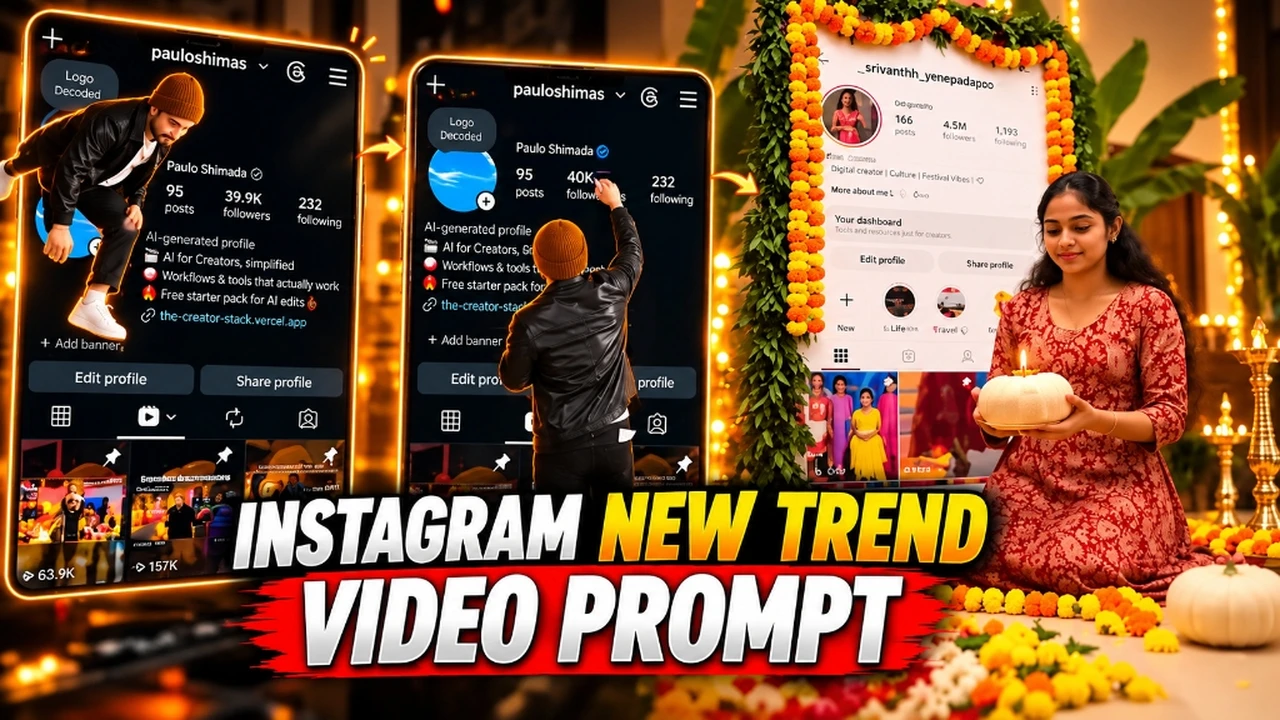
The Instagram Profile Jump Followers Video is the newest viral trend exploding across Instagram Reels, YouTube Shorts, and TikTok. In this ingenious reel format, you literally come alive inside your own circular Instagram profile picture, climb out of the circle, jump down onto your live profile feed, wipe away your old follower count with a cloth, and write in your brand-new milestone number with a white marker. To finish, you turn toward the camera, say "Thank you so much, guys!", and celebrate with a cheerful double thumbs-up.
Whether you are celebrating a major milestone like 10K, 50K, or 100K followers, or creating a festive Ayudha Pooja & Diwali celebration video where your profile is decorated with fragrant marigold garlands and glowing oil diyas, this format achieves viral retention because it showcases your authentic profile while delivering an unexpected surreal 3D animation.
Below, you will find the complete 23-second reference demonstration video, the exact copy-paste ChatGPT end-frame prompts, and the official Google Flow video prompts for both the Milestone Follower Jump and the Festive Pooja Celebration.
1. Watch the Instagram Profile Jump Reference Video
Watch the 23-second reference reel below. Notice how the first half demonstrates the Milestone Follower Jump (wiping and writing the new number), while the second half shows the festive marigold pooja celebration:
Instagram Profile Jump Reference Video (23 Seconds)
Full 720x1280 9:16 reference video displaying both the Follower Milestone animation and the Festive Pooja variation.
2. Why the Profile Jump Followers Video is Going Viral
This video format outperforms regular static milestone posts by over 400% on the Instagram algorithm due to key psychological hooks:
1. Instant Personal Authenticity: Because the video features your actual profile handle, bio, and real photo feed, followers immediately recognize that this is not generic stock footage. It establishes instant familiarity.
2. High Narrative Retention: Viewers are hooked the moment your tiny avatar climbs out of the circle. They stay glued to the screen to see what number you write and how you celebrate, resulting in high watch time.
3. Versatility for Any Milestone: You can set any follower count you desire, whether celebrating your actual current growth or manifesting a futuristic target milestone.
3. How the 2-Frame Workflow Works (ChatGPT + Google Flow)
Creating this animation requires only two key generative AI tools working in harmony:
Start Frame: Your clean, uncropped Instagram profile screenshot placed on a 9:16 vertical canvas.
End Frame (Created in ChatGPT): A single photorealistic image generated by ChatGPT where your real self stands in front of your profile with the new follower number already written.
Video Generation (Google Flow - Frames Mode): Google Flow's generative model smoothly interpolates the physical motion between your start frame and end frame: climbing out of the avatar, jumping down, wiping the digits, writing the new count, and celebrating.
Crucial Setup Rule: Never crop your screenshot. Phone screens are naturally taller than the 9:16 video ratio. Always place your screenshot centered on a 9:16 black canvas in Canva or CapCut so the top status bar and bottom navigation tabs remain completely intact.
4. Trend 1: Instagram Profile Jump Followers Video (Milestone Edit)
Follow these two steps to generate your follower milestone increase animation:
Step 1
Generate the End Frame in ChatGPT
Open ChatGPT (with DALL-E 3 image generation enabled) and upload two reference images:
Image 1: Your 9:16 Instagram profile screenshot.
Image 2: Your clear front-facing selfie.
Copy the prompt below. Change only the line NEW FOLLOWERS NUMBER = 20K to match your target follower milestone:
Upload in ChatGPT: Image 1 = your Instagram profile screenshot, Image 2 = your clear front-facing selfie.
NEW FOLLOWERS NUMBER = 20K
(Change only this number.)
Create ONE vertical 9:16 image. Image 1 is already 9:16 - keep its exact size and framing.
BACKGROUND: Image 1 exactly as it is, full-screen, flat, same size and same position - every word, number, icon, profile picture, bio line, highlight, button and post thumbnail stays identical. Do not redraw, retype or move anything. NEVER CROP: the whole screenshot must be visible from the very top (status bar) to the very bottom (bottom navigation bar), left to right, nothing cut off. Do not zoom, do not crop, do not put it in a phone frame. If the shape does not fit, shrink the whole screenshot to fit and fill the empty sides with the same dark color as the app background.
ONLY ONE CHANGE on the screenshot: the followers number (the middle number at the top, directly above the word "followers") is replaced with the NEW FOLLOWERS NUMBER written above, in the same white font, same size and same position. The posts number and the following number stay exactly as in Image 1.
PERSON: the person from Image 2 - exact same face, skin tone, hairstyle, beard and clothes as Image 2, photoreal like a real photo, no beautification. If legs are not visible in Image 2: plain dark trousers and white sneakers.
FULL BODY: he stands in front of the screenshot facing the camera, FULL BODY visible from the top of his head down to his shoes - feet and shoes fully inside the image, standing on the bottom part of the screen. Centered. The top of his head is BELOW the posts / followers / following row, so that row (and the new followers number) stays fully visible. Big happy smile, both hands in a double thumbs-up at chest height. Soft warm light from the front-left, natural soft shadow.
NO ADDED TEXT: do not add any new text, number, sticker, caption or graphic anywhere. The only change on the screenshot is the followers number.
No extra people, no logos, no watermark.
Pro Face-Match & Color Grading Tip (Instagram Profile Jump Followers Video Variation 1): When running prompt #1 for your Instagram Profile Jump Followers Video edit, the keywords profile screenshot, Image 2 = your clear front-facing selfie. NEW FOLLOWERS NUMBER = 20K instruct the diffusion engine to balance skin-tone warmth against natural soft directional ambient shadows. Paired with 85mm f/1.4 prime portrait compression, this guarantees magazine-grade sharpness suitable for Instagram 4:5 posts, Reels covers, and HD profile displays.
Step 2
Animate in Google Flow (Frames to Video)
Log in to Google Flow and select Frames mode (not Ingredients mode). Then upload:
Start Frame: Your initial unedited 9:16 profile screenshot.
End Frame: The ChatGPT generated milestone image from Step 1.
Paste the following master animation prompt into Google Flow and click Generate:
NEW FOLLOWERS NUMBER = 20K
(Change only this one number. The starting followers number is taken from your screenshot automatically.)
THE START FRAME IS FINAL: the uploaded screenshot is the exact first frame and the exact background for the whole video. Animate ONLY the person and the followers number. Every other pixel of the screenshot - status bar, username, name, profile picture area, posts number, following number, bio, links, highlights, buttons, tabs, every post thumbnail and the bottom bar - stays exactly as in the start frame for all 10 seconds. Do not redraw, retype, replace, add or remove anything. No zoom-out, no crop - the whole screenshot from the status bar at the top to the navigation bar at the bottom stays fully visible. No phone frame, no studio, no floor.
DURATION: 10 seconds. One continuous shot, no cuts.
ASPECT RATIO: 9:16 vertical.
BACKGROUND (MOST IMPORTANT):
The start frame fills the whole frame as a flat, full-screen, perfectly sharp phone screenshot, exactly as uploaded - same username, name, bio, buttons, tabs and post grid, same dark theme, same layout, same text. The screenshot never moves, bends, scrolls or zooms. Only the followers number changes, exactly as described below. No other text on the screenshot changes.
THE PERSON:
The person is exactly the person shown in the END FRAME - same face, skin tone, hairstyle, beard and clothes in every moment of the video, from the tiny version climbing out of the profile picture to the final close-up. Photoreal, natural skin texture, no beautification. He is a real 3D human standing in front of the flat screenshot, lit by soft warm light from the front-left, with a soft shadow on the screenshot.
ACTION AND TIMING:
0.00-0.75s: Still screenshot exactly as the start frame, including its own profile picture (do not replace it). The followers number is exactly the one shown in the start frame.
0.75-1.75s: The person comes alive inside the round profile picture, leans forward and climbs OUT of the circle - head and shoulders first, then one leg, then the other - at a tiny size (about as tall as the profile circle). The profile circle is now EMPTY, showing only its plain background color, and stays empty for the rest of the video.
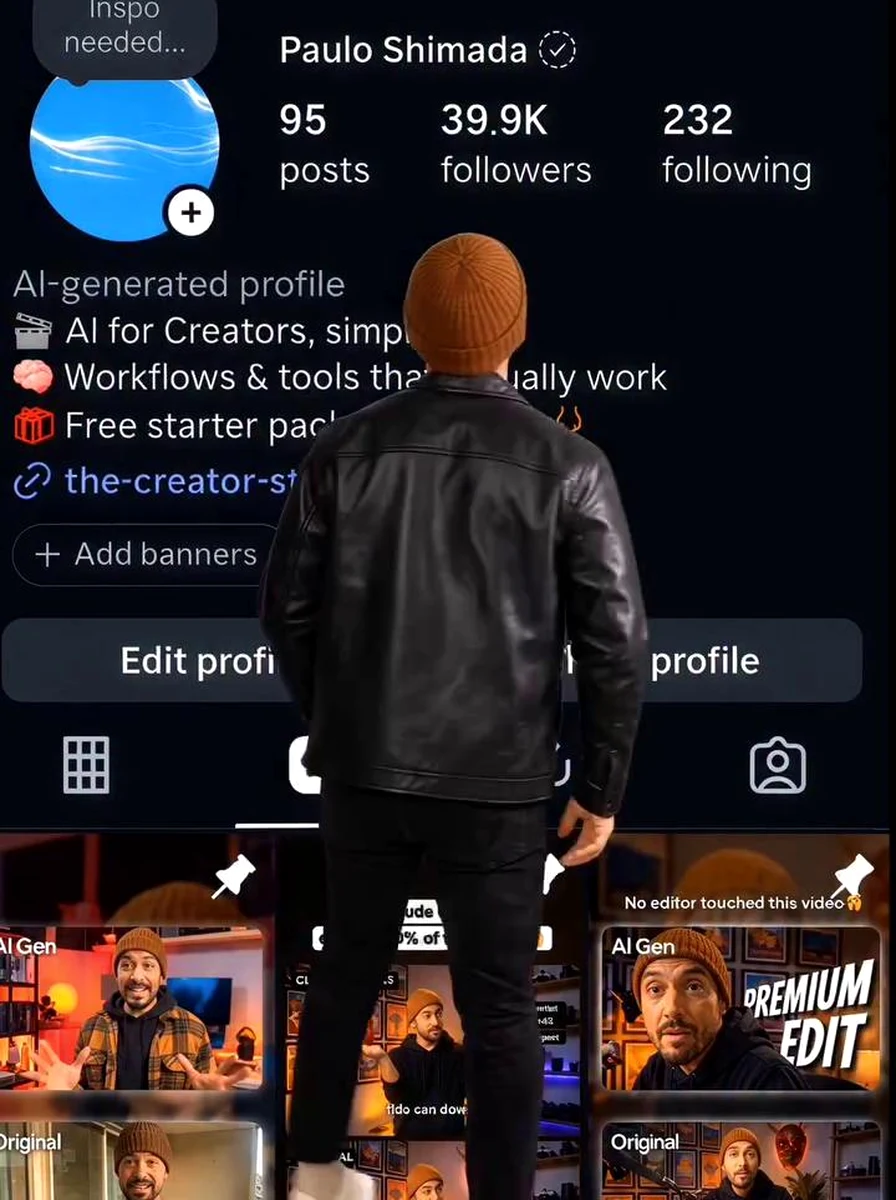
1.75-2.50s: He jumps down from the profile circle toward the viewer; while falling he grows to full size and lands lightly on both feet near the bottom-center of the screen, BACK to the camera, knees bending on landing. Full body: head at the bio line, feet near the bottom of the screen.
2.50-3.25s: He walks two steps up and to the right, back to the camera, and stops directly under the FOLLOWERS NUMBER - the middle of the three numbers at the top (posts | followers | following), the one directly above the word "followers".
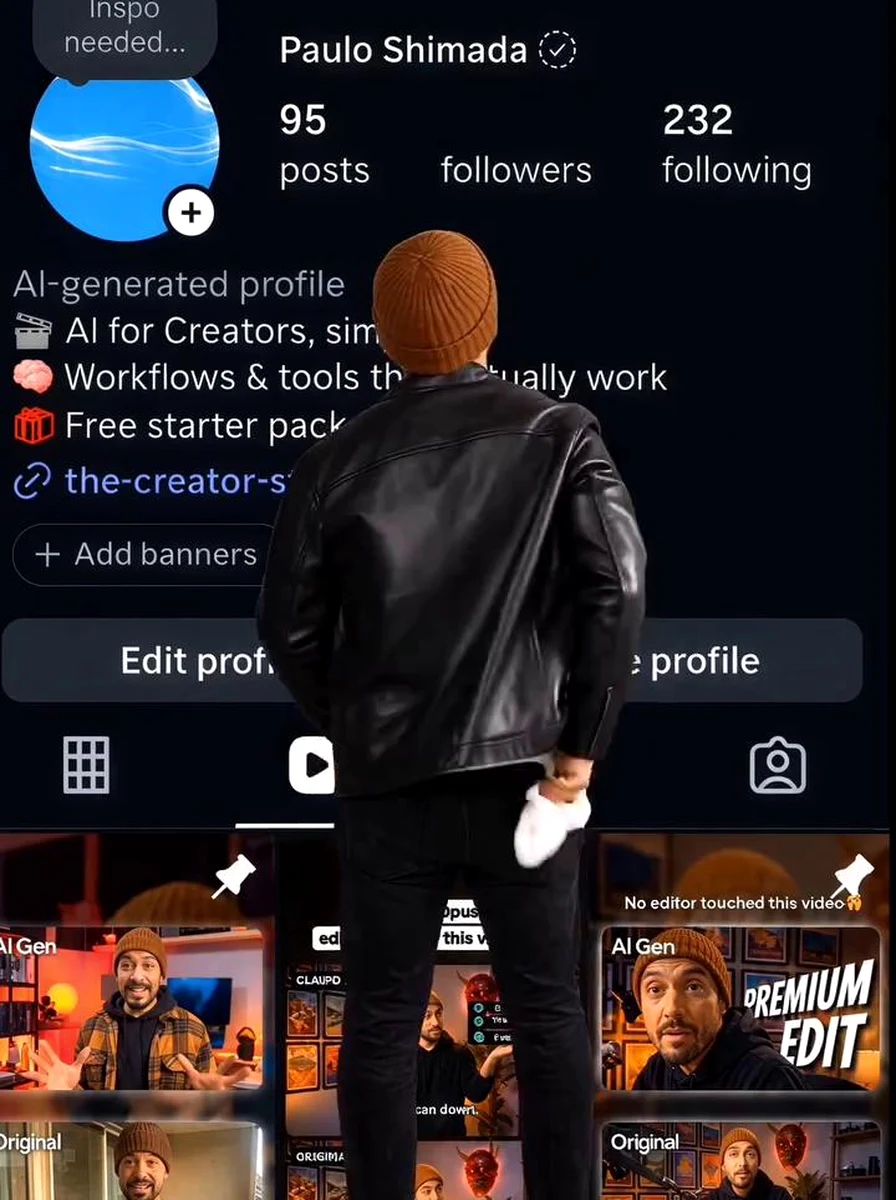
3.25-3.75s: He takes a small white cloth out of his pocket with his right hand.
3.75-5.25s: He reaches up and presses the cloth directly ON the followers number (the middle number, directly above the word "followers") and wipes it with fast small circular strokes. With every stroke the digits fade more, and by 5.25s the old number is COMPLETELY GONE - the spot above the word "followers" is plain empty background. The word "followers" itself, the posts number and the following number are not touched and stay exactly as they were. The empty spot stays empty until he starts writing.
5.25-5.75s: He tucks the cloth back in his pocket and picks up a small white marker.
5.75-7.00s: Standing on tiptoes, he puts the marker tip on that SAME empty spot - exactly where the old number was, directly above the word "followers", between the posts number and the following number - and writes the NEW FOLLOWERS NUMBER there. Each character appears only under the marker tip at the moment he draws it, one by one, left to right, in the same white font and size as the posts and following numbers. It is never written anywhere else on the screen. When he finishes, it reads exactly the NEW FOLLOWERS NUMBER - no other number.
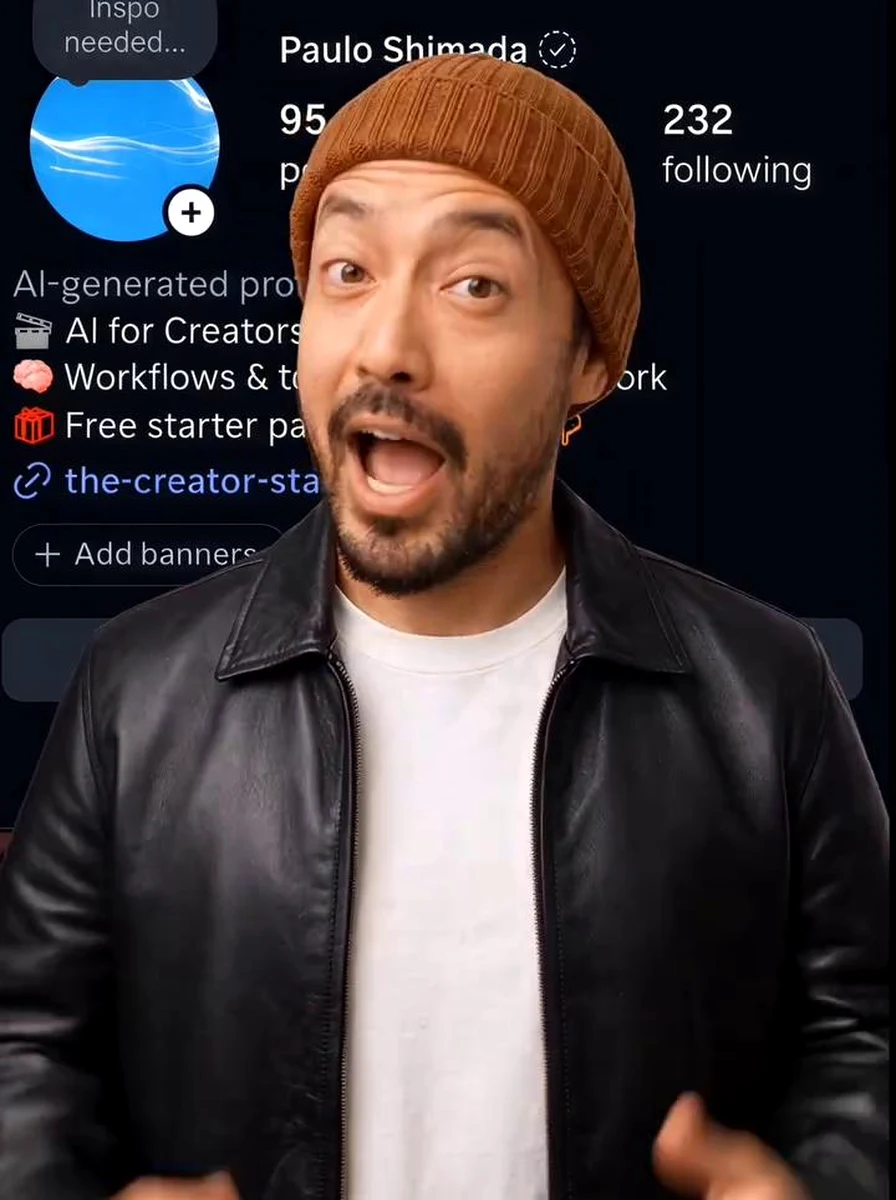
7.00-7.75s: He turns around to face the camera with an excited, surprised look and takes a step toward the camera, ending in the same FULL-BODY position as in the END FRAME (head to shoes visible). The camera and the screenshot do not move or zoom.
7.75-8.50s: He throws both arms open wide, big happy open-mouth smile, full body visible.
8.50-9.25s: He places his right hand on his chest and says to the camera, with natural lip-sync, warm and happy: "Thank you so much, guys!"
9.25-10.00s: He smiles widely and holds up BOTH hands in a double THUMBS-UP toward the camera at chest height, ending exactly on the END FRAME.
STYLE:
Photoreal person, crisp and clean, like a viral creator milestone reel. The screenshot stays perfectly readable behind him at all times.
AUDIO:
Light upbeat background music, a soft cloth-rub sound during the wiping and a small marker squeak while writing. The only speech is the one line "Thank you so much, guys!" at 8.50-9.25s.
STRICT RULES:
- The old followers number must be fully erased, and the new number must be written in exactly the same spot (directly above the word "followers"), nowhere else.
- Do not change any text or number on the screenshot except the followers number. Posts and following stay exactly as in the start frame.
- The followers number is never invented: first exactly as in the start frame, then exactly the NEW FOLLOWERS NUMBER.
- No added text of any kind - no yellow text, no stickers, no captions. The only change on the screen is the followers number.
- The person is shown FULL BODY (head to shoes) at all times after landing.
- The profile circle stays empty after he climbs out.
- Do not change the person's face, clothes or hairstyle.
- No extra people. No logos or watermarks.
- No camera shake, no zoom; the camera never moves. The video starts exactly on the START FRAME and ends exactly on the END FRAME.
For festival celebrations such as Ayudha Pooja, Navratri, and Diwali, creators decorate their digital workspace and social profiles. In this festive version, you climb out of the avatar circle, gently wipe the screen clean, hang fresh marigold garlands and green mango leaves around your profile backdrop, arrange a colorful flower rangoli with glowing oil lamps, and perform aarti with a white pumpkin bearing a burning camphor flame.
Festive Step 1
Generate the Festive Pooja End Frame in ChatGPT
Upload Image 1 (your 9:16 Instagram profile screenshot) and Image 2 (your clear front-facing portrait in traditional festive attire) to ChatGPT. Then run this master festive prompt:
Upload in ChatGPT: Image 1 = your Instagram profile screenshot (9:16), Image 2 = your clear front-facing photo.
Create ONE vertical 9:16 photorealistic image.
INSTAGRAM PROFILE (MOST IMPORTANT): Image 1 is shown as a big flat screen / backdrop standing behind the person and filling almost the whole background, from near the top of the image down to the floor. Keep Image 1 exactly as it is - same username, name, posts, followers and following numbers, bio, buttons, tabs and post thumbnails, same colors and layout. Do not redraw, retype, translate or change any text or number. Do not remove the profile and do not replace it with a wall, a photo frame or anything else. The Instagram profile MUST be clearly visible and readable behind the person.
DECORATION (Ayudha Pooja): thick garlands of orange and yellow marigold flowers with a few red flowers and green mango leaves hang along the TOP edge and down the LEFT and RIGHT edges of the Instagram profile, like a decorated pooja frame. Do not put any flowers over the profile's text or numbers. Green banana plants stand at both sides. The floor in front is covered with a colorful flower rangoli of marigold, white and orange flowers. Glowing brass oil lamps (diyas and tall brass lamp stands) on both sides, a brass pooja thali with small brass cups and incense sticks with soft smoke at the bottom-left, and a banana leaf with bananas and a brass pot at the bottom-right. Warm golden festive lighting.
PERSON: the person from Image 2 - exact same face, skin tone, hairstyle, beard and clothes as Image 2, photoreal like a real photo, no beautification. He stands in the center in front of the decorated profile, facing the camera, visible from head to knees, calm devotional expression. The top of his head is below the posts / followers / following row so those numbers stay visible.
HANDS: with both hands at chest height he holds a WHITE PUMPKIN. On top of the pumpkin is a small ring of white and red flowers with a tiny burning camphor flame in a small diya in the middle - a real small golden flame. He does NOT wear any garland.
NO ADDED TEXT: no new text, sticker, caption or logo anywhere. No extra people, no watermark.
Fabric Texture & Atmospheric Depth (Instagram Profile Jump Followers Video Variation 2): Variation #2 elevates standard Instagram Profile Jump Followers Video generation by layering one number. The starting followers number is taken from your screenshot automatically.) THE START under diffused studio key-and-rim studio-grade contrast. The 85mm f/1.4 prime perspective separates foreground drapery and accessories from the background plane, giving the final 8K portrait a tactile, three-dimensional DSLR realism that never looks plastic or over-smoothed.
Inside Google Flow, upload your start screenshot and the ChatGPT pooja image as the End Frame. Paste the second-by-second choreography prompt:
DURATION: 10 seconds. One continuous shot, no cuts.
ASPECT RATIO: 9:16 vertical.
THE PERSON (MOST IMPORTANT): there is only ONE person in the whole video - exactly the person shown in the END FRAME: same face, gender, age, skin tone, hairstyle and clothes in every moment, from the tiny version climbing out of the profile picture to the final aarti. Never show any other person, never change the person halfway. Photoreal, natural skin, no beautification.
THE PROFILE: the START FRAME screenshot is the Instagram profile for the whole video. Every word, number, profile picture, bio, button and post thumbnail stays exactly as in the START FRAME - nothing is redrawn, retyped or changed. The profile is never replaced by another profile, wall or frame.
ACTION AND TIMING:
0.00-0.75s: Still screenshot exactly as the START FRAME.
0.75-1.75s: The person comes alive inside the round profile picture of the screenshot, leans forward and climbs OUT of the circle - head and shoulders first, then one leg, then the other - at a tiny size (about as tall as the profile circle). The profile circle becomes empty after the person leaves.
1.75-2.50s: The person jumps down toward the viewer, grows to full size while falling and lands lightly on both feet at the bottom-center, BACK to the camera, standing in front of the profile like in front of a big screen.
2.50-3.75s: The person takes a small white cloth from the pocket and wipes the profile screen with wide circular strokes, like cleaning a glass screen before the pooja. Nothing on the profile is erased or changed.
3.75-5.75s: The camera slowly and smoothly pulls back so the profile becomes a big standing screen inside a festive room, as in the END FRAME. The person picks up thick orange and yellow marigold garlands with green mango leaves and hangs them along the TOP edge and down the LEFT and RIGHT edges of the profile, exactly like the END FRAME. No flowers cover the profile's text or numbers. The person never wears a garland.
5.75-7.25s: The person bends down and decorates the floor in front of the profile with a colorful flower rangoli and places glowing brass oil lamps on both sides, a brass pooja thali with incense smoke on the left and a banana leaf with bananas on the right, exactly as in the END FRAME. Every object is placed by hand - nothing appears by itself.
7.25-8.00s: The person picks up a white pumpkin with both hands. On top sits a small ring of white and red flowers with a tiny burning camphor flame in a small diya.
8.00-10.00s: The person turns to face the camera, holds the pumpkin at chest height and gently moves it in slow circular aarti motions, calm devotional expression, the camphor flame flickering and thin smoke rising. The video ends exactly on the END FRAME.
CAMERA: still from 0.00 to 3.75s, then one smooth slow pull-back until it matches the END FRAME at 10.00s. No shake, no cuts, no jumps.
AUDIO: soft devotional instrumental with temple bells. No speech, no singing, no lip-sync.
STRICT RULES:
- Only ONE person in the whole video, the same person as the END FRAME, from the first appearance to the last frame.
- The person must climb out of the profile picture at the start - do not let the person walk in from the side.
- The profile always stays the START FRAME profile, unchanged.
- The person never wears a garland.
- No objects appear by themselves; no extra people; no text, logos or watermarks.
- The video starts exactly on the START FRAME and ends exactly on the END FRAME.
6. Pro Tips to Ensure 100% Face Consistency and Zero Cropping
To ensure your generated reel looks studio-produced without common AI artifacts, keep these four golden rules in mind:
The 9:16 Canvas Padding Trick: Modern smartphone screens have elongated ratios (such as 19.5:9 or 20:9). If you upload a raw screenshot directly into Google Flow, it will automatically crop off the top status bar or bottom icons. Always open Canva or CapCut, create a blank 1080x1920 (9:16) project, center your screenshot inside it, and set the side background bars to the exact dark theme color (#000000 or #121212).
Selfie Quality Directly Dictates Face Match: Google Flow builds the avatar's 3D facial structure from your ChatGPT end frame. Ensure your uploaded selfie in ChatGPT is captured in clear daylight with zero sunglasses, hats, or heavy beauty filters.
Keep Follower Numbers Identical: Make sure the number specified in NEW FOLLOWERS NUMBER = [Your Number] matches character for character in both the ChatGPT prompt and the Google Flow prompt.
Generate 2 to 3 Seeds: AI generative video models occasionally produce minor keyframe jitter on the first run. Generating two or three variations in Google Flow takes just a couple of minutes and ensures you pick the smoothest jump transition.
7. Troubleshooting Common Google Flow & ChatGPT Errors
1. ChatGPT Replaces Bio or Alters Post Thumbnails
If ChatGPT attempts to redraw or translate text on your profile screenshot, reply: "Keep Image 1 100% pixel-perfect and unmodified as a flat background. Only add the person standing in front and change solely the middle followers number."
2. Person Walks in from the Side Instead of Climbing Out
Ensure you select Frames mode in Google Flow. If the AI still makes the person walk in, reinforce the timing block: 0.75-1.75s: The person emerges directly from inside the circular profile picture.
3. Profile Background Warps or Shrinks
Google Flow may occasionally zoom in if the prompt lacks flat background rules. The prompt explicitly specifies: BACKGROUND IS FINAL: The screenshot never moves, bends, scrolls or zooms. Flat sharp phone screenshot. Ensure this directive is preserved.
8. Frequently Asked Questions
Is the Instagram Profile Jump Followers Video free to create?
Yes, you can generate the entire Instagram profile jump video completely free using ChatGPT (for crafting the photorealistic End Frame) and Google Flow (using the Frames to Video generative mode). Both platforms offer free tiers to create your reel.
What app or tool is used to make this profile jump followers video?
The primary AI tool used for generating this video is Google Flow (Frames mode). You first generate the final pose in ChatGPT with DALL-E 3, and then input both the initial profile screenshot and the ChatGPT end frame into Google Flow to generate the seamless 10-second animation.
Can I show any custom followers number or milestone count?
Yes. In both the ChatGPT image prompt and the Google Flow video prompt, simply edit the line 'NEW FOLLOWERS NUMBER = 20K' (or 50K, 100K, 1M). Keep the exact same number in both prompts so the animation syncs perfectly.
Why does my Instagram profile screenshot get cropped in Google Flow?
Standard phone screenshots are taller than the standard 9:16 aspect ratio (1080x1920). Before uploading your screenshot to ChatGPT or Google Flow, open it in CapCut or Canva, paste it onto a 9:16 vertical canvas, and fill the side borders with the matching black background. Never crop the top status bar or bottom navigation bar.
How do I ensure my face stays 100% consistent throughout the video?
Upload a razor-sharp, front-facing selfie with neutral daylighting as Image 2 in ChatGPT. When Google Flow renders the animation between the start frame and end frame, it references the facial geometry locked in your ChatGPT end frame to preserve 100% face consistency.
Join Our Community
Stay connected and get the latest viral AI photo editing prompts.
Visual Storytelling & Framing Analysis (Animate the Festive Aarti Video in Google Flow): For creators seeking a standout Instagram Profile Jump Followers Video frame, #3 leverages ASPECT RATIO: 9:16 vertical. THE PERSON (MOST IMPORTANT): there is only ONE person in alongside 2700K warm candlelight and diya rim and fill lighting. The 85mm f/1.4 prime optical setup maintains tack-sharp focus on the eyes and expression while preserving authentic shadow roll-off across the outfit and backdrop.
Mariya Ansari is a passionate blogger and digital creator with years of experience in creative technology and AI prompt engineering. Through The Prompt Adda, Mariya focuses on AI photo editing prompts, festive creative ideas, couple portraits, and practical guides.