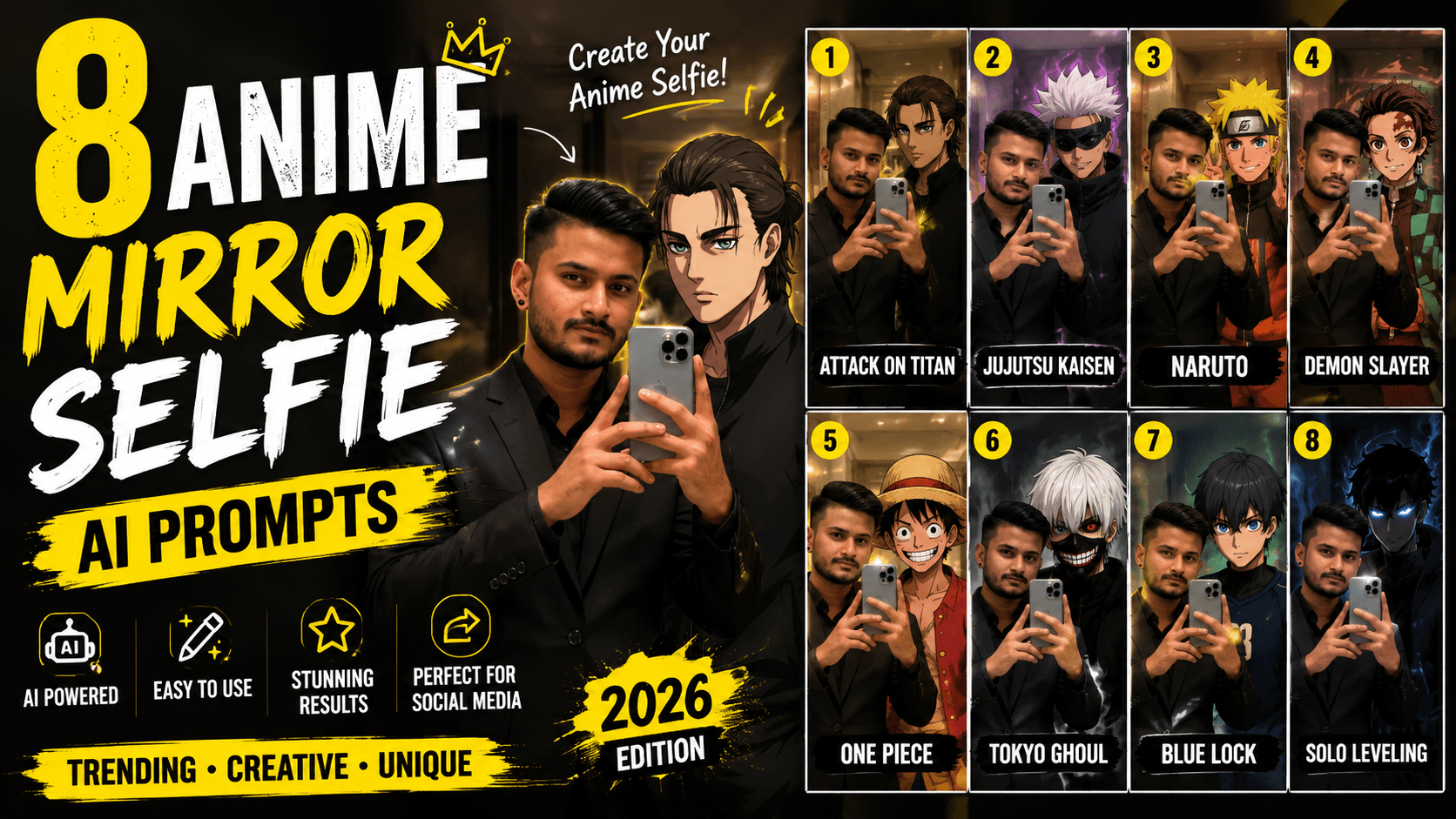
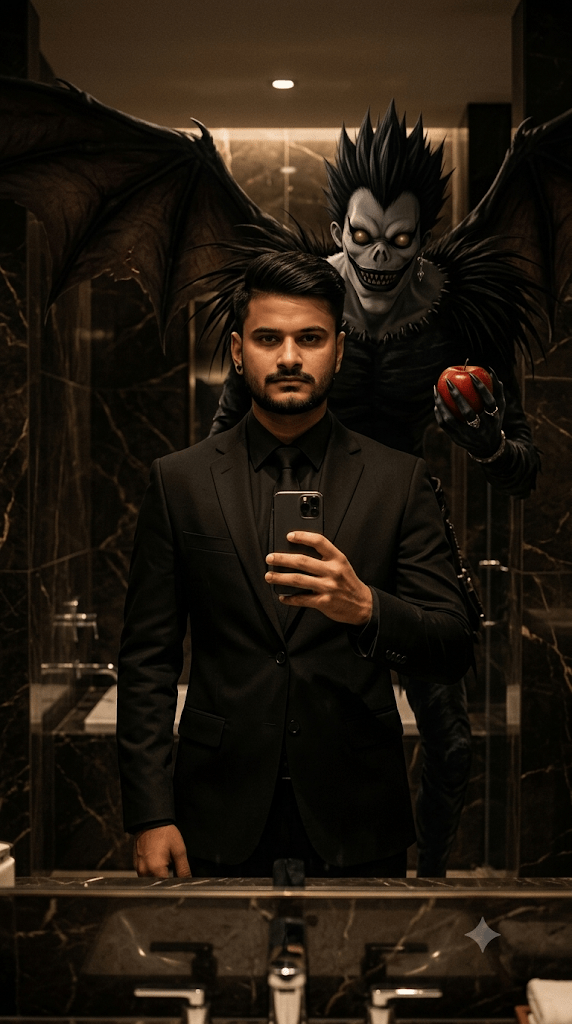
What if you could take a mirror selfie standing right next to Satoru Gojo in a luxury marble bathroom? Or have Shinigami Ryuk looming behind you while you casually hold your phone?
Stay connected and get the latest updates.
That’s exactly what these anime mirror selfie AI prompts make possible.
This trend is blowing up on Instagram and Pinterest right now — ultra-realistic selfie photos where a real person and a famous anime character share the same frame, same room, and same cinematic lighting. The result looks insanely cool and surprisingly believable.
In this guide, you’ll get 8 ready-to-use anime mirror selfie AI prompts, each featuring a different iconic anime character. Each prompt is crafted to generate a luxury cinematic aesthetic with photorealistic quality.
Just copy, paste, and generate.
This trend combines two things people love — luxury aesthetic mirror selfies and beloved anime characters.
The concept is simple. An AI generates an image of a real-looking person standing in a high-end marble bathroom, taking a selfie on their phone. Beside them stands an anime character — but rendered in a realistic, cinematic way so they fit naturally into the scene.
The lighting is soft and warm. The marble bathroom looks expensive. The anime character looks real enough to touch. The whole thing feels like a high-budget editorial photo.
What makes this trend special:
Here are 8 carefully crafted anime mirror selfie AI prompts, each featuring a different famous anime character. Copy any prompt and paste it directly into ChatGPT, Midjourney, Leonardo AI, or any AI image tool.
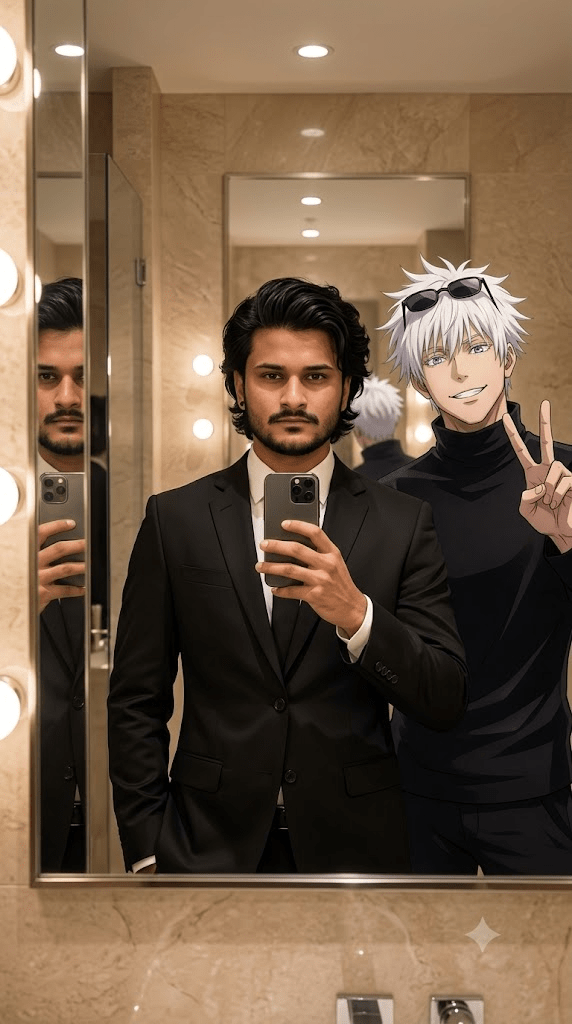
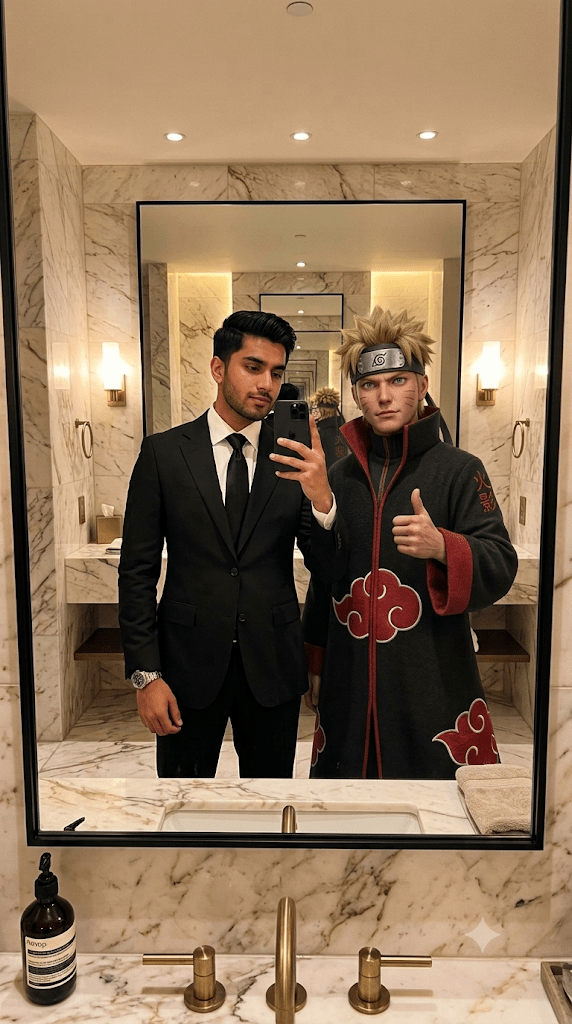
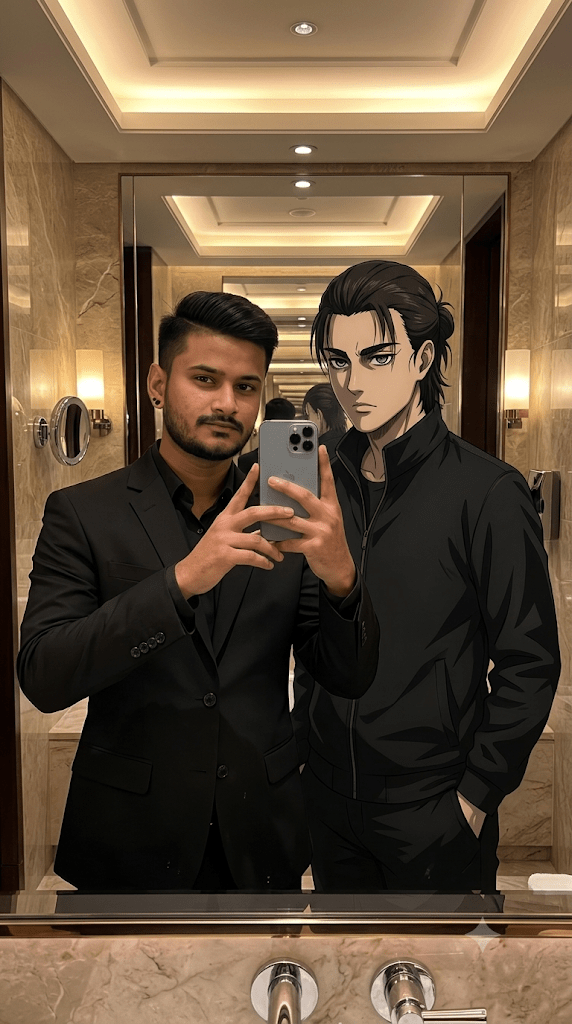
After pasting the prompt, upload one clear, well-lit photo of yourself and hit generate.
Using these anime mirror selfie AI prompts is straightforward. Here’s exactly what to do:
Step 1: Choose the anime character you want to appear with.
Step 2: Copy that character’s prompt from above.
Step 3: Open your preferred AI image tool — ChatGPT, Leonardo AI, Midjourney, or Adobe Firefly.
Step 4: Paste the prompt into the text input box.
Step 5: Hit generate and wait a few seconds.
Step 6: Download the image and post it on Instagram, WhatsApp, or wherever you like.
That’s it. No editing skills, no design experience, no special setup needed.
Want to make the prompt more personal? Here are some easy ways to customize your anime mirror selfie AI prompt:
Change the person’s appearance.
Replace “South Asian man” with your own description — skin tone, hair color, hair length, facial features, or clothing.
Change the outfit.
Swap “black formal suit” for a casual look, a streetwear outfit, or traditional clothing.
Change the bathroom style.
Replace “beige marble bathroom” with “modern black bathroom,” “minimalist white bathroom,” or “rustic wooden interior.”
Add your own lighting preference.
Try “cool blue lighting,” “neon purple glow,” or “soft candlelight” for a different mood.
Adjust the character’s pose.
Add instructions like “leaning against the wall,” “pointing at the camera,” or “looking at the mirror” to change how the character appears.
Small changes can completely transform the look and feel of your final image.
| AI Tool | Free Access | Output Quality | Best For |
|---|---|---|---|
| ChatGPT (DALL·E) | Limited free | High | Quick generation, easy use |
| Leonardo AI | Free + Paid | Very high | Realistic photo style |
| Midjourney | Paid only | Very high | Cinematic artistic output |
| Adobe Firefly | Free tier | High | Photorealistic results |
| Gemini | Free | High | Beginner-friendly |
| Ideogram | Free tier | High | Good character detail |
Our recommendation: Leonardo AI gives the best balance of realism and character accuracy for free users. Midjourney produces the most cinematic and artistic results. Start with ChatGPT or Gemini if you’re new to AI image generation.
Here are some practical tips to get the most out of these anime mirror selfie AI prompts:
Be patient with the first result. AI doesn’t always nail it on the first try. Regenerate a few times before changing the prompt.
Keep the character name exact. Use the full name of the anime character exactly as written — “Satoru Gojo,” “Itachi Uchiha,” etc. The AI recognizes these names better.
Add style keywords if needed. If your result looks too cartoonish, add “photorealistic,” “ultra-realistic,” or “cinematic photography” at the end.
Try different tools for the same prompt. The same prompt can look very different on Leonardo AI versus Midjourney. Try two or three tools to find the best result.
Crop to 9:16 if needed. Most of these prompts are designed for vertical format. Make sure your tool is set to portrait or 9:16 ratio.
Combine with Canva for finishing touches. After generating, use Canva to add a caption, your name, or any extra text overlay for a polished look.
| Problem | Quick Fix |
|---|---|
| Anime character looks too cartoonish | Add “anime-realistic hybrid, photorealistic blend” to the prompt |
| Face looks distorted | Add “detailed facial features, natural proportions” |
| Mirror reflection looks wrong | Add “accurate mirror reflection, realistic glass surface” |
| Character not recognizable | Use the character’s full name and add one key visual detail |
| Image too dark or too bright | Add “balanced exposure, soft warm lighting, well-lit bathroom” |
| Wrong aspect ratio | Specify “vertical 9:16 format” clearly in the prompt |
The anime mirror selfie AI prompt trend works so well on social media for a few reasons:
It’s scroll-stopping. Nobody expects to see Ryuk standing in a luxury bathroom. It catches the eye instantly.
It sparks conversations. People comment things like “wait, is that Gojo??” which drives engagement.
It shows creativity. It positions you as someone who knows about AI tools and current trends.
It’s shareable. Anime fans will tag their friends the moment they see it.
It’s versatile. Works as a static post, a story, a Reel thumbnail, or even a profile picture.
Q: Do I need to upload my own photo to use these prompts?
No. These prompts are written to generate an image from scratch. You don’t need to upload anything. Just paste the prompt and generate.
Q: Can I change the anime character to one not listed here?
Absolutely. Replace the character name and their physical description with any anime character you want. The prompt structure stays the same.
Q: Why does the character sometimes look different from the anime?
AI tools interpret character descriptions based on their training data. Well-known characters like Gojo or Naruto tend to come out more accurately. For lesser-known characters, add more physical detail to the prompt.
Q: Which prompt gives the most dramatic result?
The Shinigami Ryuk prompt tends to give the most dramatic and visually striking result because of the contrast between the luxury setting and Ryuk’s dark supernatural presence.
Q: Can I use these images on Instagram or YouTube?
Yes, for personal use. If you plan to use them commercially, check the usage policy of the specific AI tool you used to generate the image.
Q: Can I make the person in the photo look like me?
You can describe your appearance in detail inside the prompt — skin tone, hair type, facial features, clothing — and the AI will try to match it. Results vary but usually come close.
These anime mirror selfie AI prompts are some of the most creative and fun things you can generate with AI right now. Whether you’re a die-hard Naruto fan, an Attack on Titan obsessive, or a Death Note lover, there’s a prompt here that will put your favorite character right beside you in the most cinematic way possible.
Copy the prompt that speaks to you, paste it into your AI tool, and generate your anime mirror selfie today. Tweak the description to match your appearance, experiment with different tools, and share your result with the world.
Your Instagram feed is about to look very different.
Stay connected and get the latest updates.
Leave a Comment