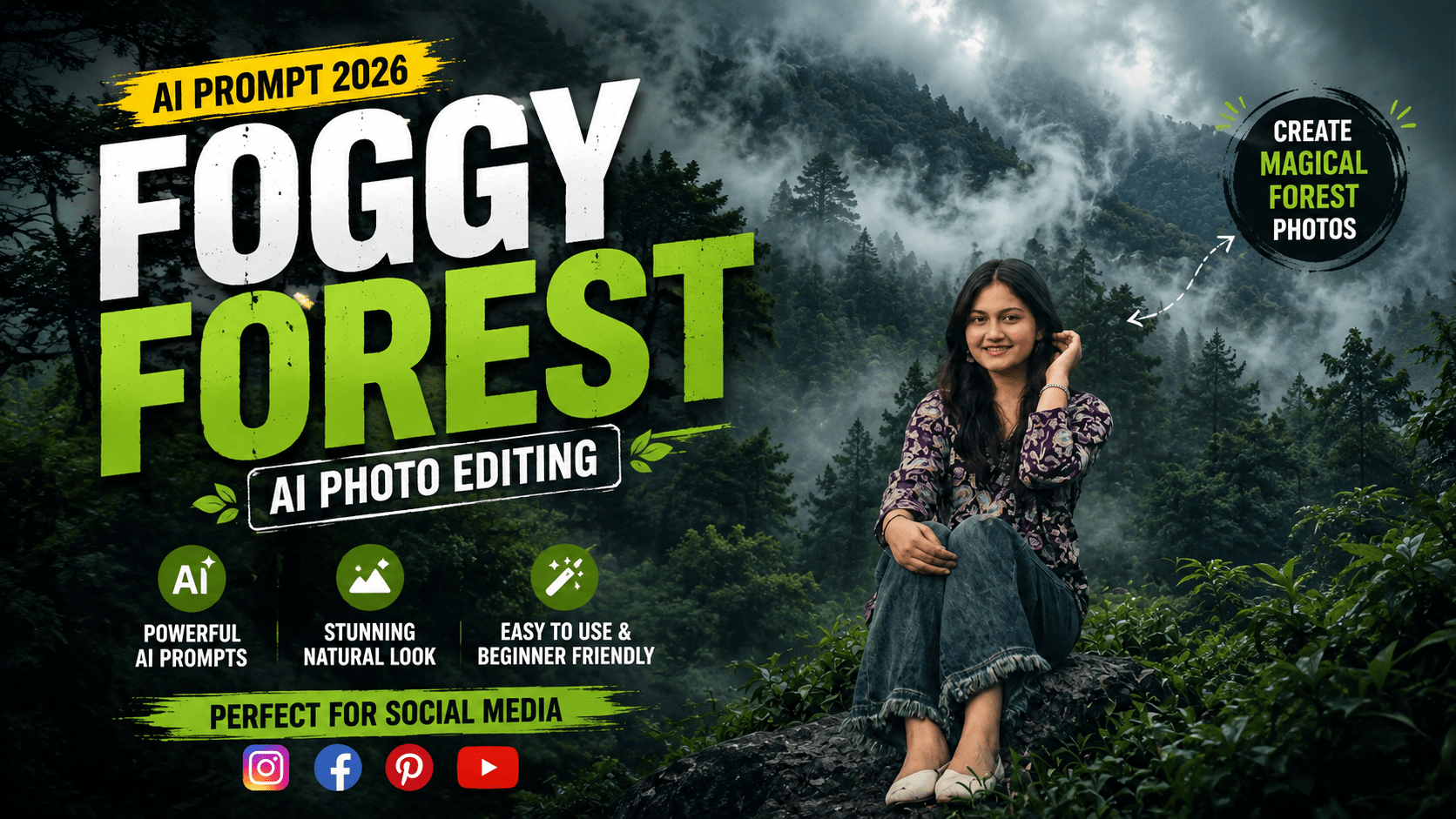
Imagine turning an ordinary forest photo into something that looks like it was captured by a professional DSLR photographer on a cold, misty morning. The kind of image that feels mysterious, peaceful, and cinematic all at once.
Stay connected and get the latest updates.
That’s exactly what this foggy forest AI prompt can do.
Whether you have a regular photo of trees, a simple nature shot, or even a random outdoor image, this prompt transforms it into a breathtaking misty woodland scene. The AI adds dense fog, rich forest colors, volumetric light rays, and ultra-realistic details.
In this guide, you’ll get the exact prompt to copy and paste into ChatGPT, Midjourney, Leonardo AI, or any AI image tool. Plus, you’ll learn how to get the best results, which tools to use, and how to fix common problems.
This foggy forest AI prompt takes an existing image and completely transforms it into a cinematic, misty forest masterpiece. Here’s what it does:
Adds dense natural fog. The entire environment gets covered in a soft white mist, creating mystery and depth.
Applies forest color grading. Deep emerald green, dark teal, moss green, and earthy brown tones replace any dull or flat colors.
Enhances trees and foliage. All plants, trees, and background elements become lush and enchanted-looking.
Introduces volumetric light rays. Soft beams of light penetrate through the fog, adding realism and dimension.
Boosts quality to 4K. The image gets ultra-high-definition sharpness, HDR enhancement, and professional color grading.
The final output looks like a premium DSLR forest photograph taken during a cold misty morning.
Here’s the complete foggy forest AI prompt — copy and paste it directly into your AI image editing tool.
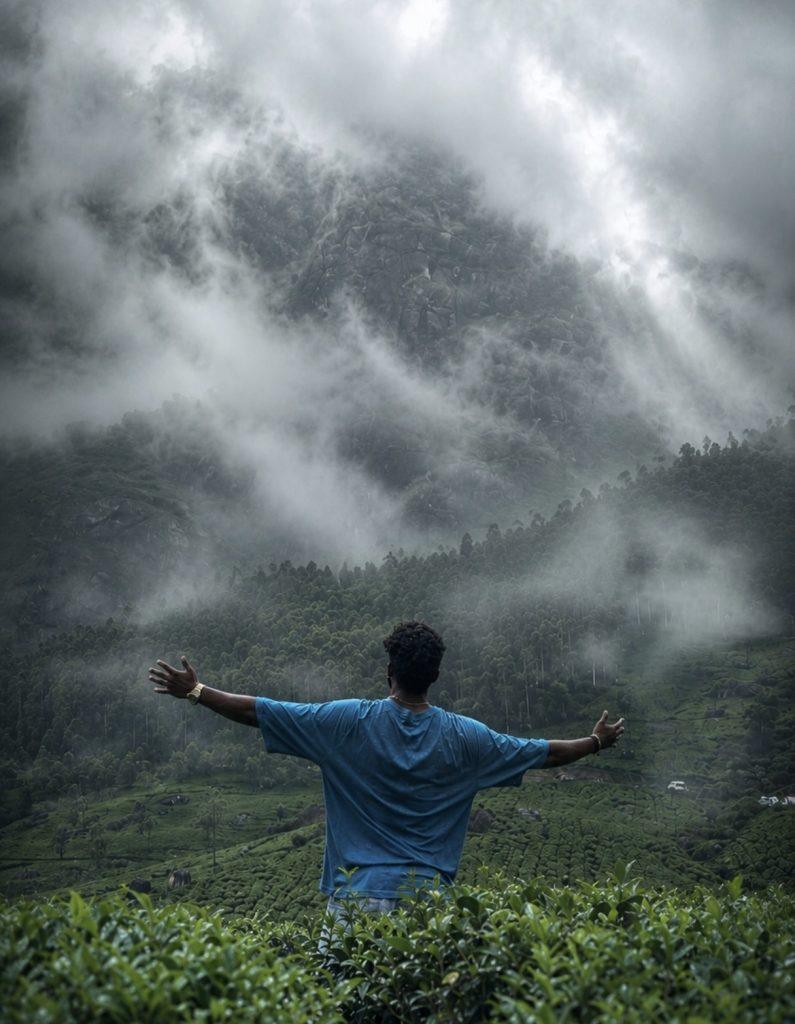
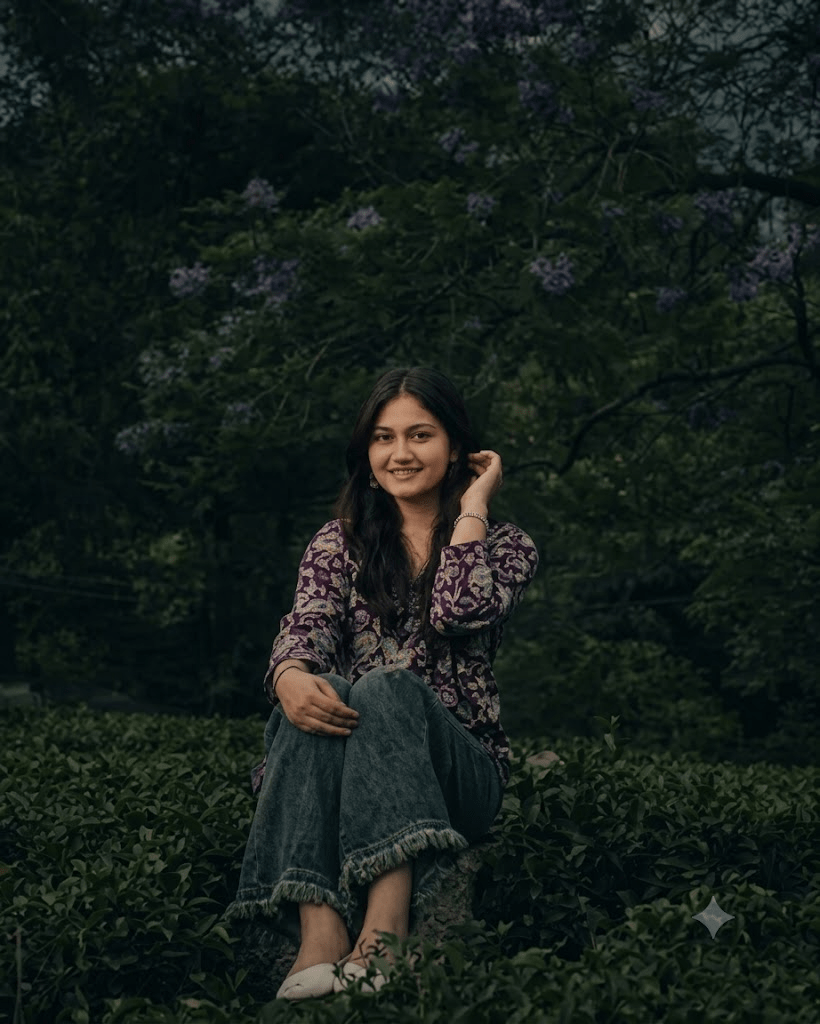
Note: This prompt works best with an outdoor or nature photo as your base image. Results may vary depending on the AI tool you’re using.
Using this foggy forest AI prompt is simple. Follow these steps:
Step 1: Copy the prompt from above.
Step 2: Open your preferred AI image tool — ChatGPT, Midjourney, Leonardo AI, or Adobe Firefly.
Step 3: Upload a clear photo of a forest, trees, or any outdoor nature scene.
Step 4: Paste the copied prompt into the text box.
Step 5: Press send or generate and wait a few seconds.
Step 6: Download your transformed foggy forest image.
That’s it. No complicated settings, no editing experience needed.
Not every photo will give you the same result. Here’s what works best with the foggy forest AI prompt:
Forest or tree photos. Photos with visible trees, trunks, and foliage give the best results.
Outdoor nature scenes. Parks, gardens, hills, or any green landscape can work.
Clear, sharp images. Blurry photos will give poor output. Use high-resolution images.
Photos with some depth. Images that already have layers or distance work best for adding fog effects.
Avoid crowds and buildings. The prompt is designed for natural environments, not urban scenes.
The better your base photo, the better your final result.
| AI Tool | Free Access | Output Quality | Ease of Use |
|---|---|---|---|
| ChatGPT (DALL·E) | Limited free | High | Very easy |
| Adobe Firefly | Free tier | High | Easy |
| Leonardo AI | Free + Paid | Very high | Easy |
| Midjourney | Paid only | Very high | Medium |
| Gemini | Free | High | Easy |
Our recommendation: Adobe Firefly and Leonardo AI are excellent for photorealistic transformations. ChatGPT works well for quick results. Midjourney gives stunning cinematic output but requires a subscription.
Here are some practical tips to get the most out of this foggy forest AI prompt:
Use a high-resolution base photo. The quality of your input photo directly affects the output quality.
Choose photos with natural green tones. Images with existing greenery will blend better with the forest color grading.
Avoid heavily edited photos. Start with a clean, unedited image for best results.
Specify mood if you want changes. Add words like “darker,” “lighter,” “more fog,” or “more sunlight” to customize.
Try on different tools. The same prompt can give stunning results on one tool and average results on another. Experiment.
Iterate and refine. If your first result isn’t perfect, tweak a few words and regenerate.
If your result doesn’t look right, here are quick fixes:
| Problem | Solution |
|---|---|
| Not enough fog | Add “extra dense fog” or “heavy mist” to the prompt |
| Colors look flat | Add “richer color grading” or “more contrast” |
| Trees look unrealistic | Use a sharper base photo |
| Too dark or too bright | Add “brighter lighting” or “darker moody tones” |
| Image looks fake | Change “4K realistic” to “soft natural film look” |
The foggy forest AI prompt is a great starting point. Feel free to customize it for your specific needs.
Once you create your misty forest masterpiece, here’s where you can use it:
Social media posts. Perfect for Instagram, Pinterest, or Facebook with a moody aesthetic.
Wallpapers and backgrounds. Great for phone or desktop wallpapers.
Digital art projects. Use as a background layer for designs or illustrations.
Blog and website visuals. Perfect for nature, travel, or storytelling content.
Print wall art. Print and frame for a premium, artistic touch.
Video thumbnails. Cinematic foggy images make eye-catching YouTube thumbnails.
Q: Can I use this prompt on a regular outdoor photo?
Yes. The prompt is designed to transform outdoor and nature photos into foggy forest scenes. A photo with trees or greenery works best.
Q: Which AI tool gives the most realistic result?
Leonardo AI and Adobe Firefly tend to produce the most photorealistic results. Midjourney also gives excellent cinematic output.
Q: Is this prompt free to use?
Yes. Most AI tools offer free tiers. ChatGPT has limited free generations, while Gemini and Leonardo AI provide free access with some limitations.
Q: Do I need to upload a photo, or can I generate from scratch?
This prompt is designed for photo transformation. Upload an existing image as your base for best results.
Q: Can I use the generated image commercially?
Check the terms of service for the specific tool you’re using. Adobe Firefly and Midjourney paid plans generally allow commercial use.
Q: How long does it take to generate?
Most AI tools generate images in 10 to 30 seconds, depending on the platform and server load.
This foggy forest AI prompt is one of the best ways to turn an ordinary nature photo into a cinematic, misty masterpiece. Whether you’re creating content for Instagram, designing wallpapers, or just experimenting with AI creativity, this prompt delivers impressive results.
Copy the prompt from this guide, upload a good base photo, and try it today. If your first attempt isn’t perfect, tweak a few words and try again — that’s part of the fun.
With the right photo and a little experimentation, you’ll have a breathtaking foggy forest image that looks like it belongs in a professional photography portfolio.
Stay connected and get the latest updates.

Leave a Comment